


Choose the right starting point
Before you spend more, answer four questions: What work do you want? Where will you travel? Who will answer? How much can your team take on?
Look at your dispatch calendar, installation schedule and open estimates. Leave room for visits you've already promised to maintenance members.
| Your situation | Options worth comparing | Check first |
|---|---|---|
| You have open repair slots | Eligible Local Services Ads, local search, Search ads and purchased leads for repair work | Phone coverage, travel area and dispatch availability |
| You need replacement estimates | Replacement pages and ads, installation-focused lead providers, dealer relationships and open-estimate follow-up | Estimating and installation capacity |
| You want more maintenance work | Customer reminders, reactivation, referrals and a clear maintenance offer | Contact permissions and existing service obligations |
| You have little cash or marketing time | Accurate profiles, useful service pages, honest reviews and customer referrals | What you can maintain consistently |
| You receive inquiries but book little work | Call handling, qualification and estimate follow-up | Where inquiries are being lost |
| You are open to work assigned by another company | Retailer, warranty, property-manager and builder networks | Rates, obligations, payment and customer ownership |
Someone with no heat needs a different conversation from someone comparing replacement estimates. Choose your message and follow-up accordingly.
If you're already booked with the work you want, buying more calls may just leave you turning customers away.
Match the lead source to your business model
A company charging more may be able to spend more to win a job. That depends on what it costs to deliver the work. Bigger payrolls, more trucks and additional overhead can use up the difference.
Before copying a competitor's marketing, think about why customers choose you:
- You compete on price: Watch travel time and the cost of winning each job. Cheap leads can still be expensive if few turn into work.
- You charge more: Explain what customers get for that price, such as the scope of work, response times, communication or warranty terms.
- You want more people to recognize your name: Give brand advertising its own budget and measures. Branded searches and recognition can matter, but an ad impression isn't a lead.
Choose based on your margins, available cash and schedule. Track whether each source brings customers who want the service you sell.
Build local visibility
Optimize Google Business Profile for local calls
Your Google Business Profile, formerly Google My Business, deserves attention before you spend more to bring people to it. It's where customers can check your services, read reviews and decide whether to call.
You can make many of these improvements yourself or hand them to your office manager. There's no ad spend required, though the profile needs regular attention.
Start with categories and reviews. Google says categories affect local ranking, and more reviews and positive ratings can help. Photos, posts and replies also help customers size up your business, even where a ranking benefit hasn't been established. Category guidance, Google's local-ranking guidance
1. Check categories, coverage and contact details
Sign in to the Google account that manages your profile. Open Edit profile in Search or Maps, choose the primary category that best describes your main work, and add other categories only where they fit.
Check your phone number, website, regular hours and holiday hours. List the areas you serve. If customers don't visit your premises, follow Google's service-area-business rules for your address. Use your business name as it is, without adding city or service keywords. Business representation rules
Open the public profile on your phone. Call the number and follow the website link. Can a customer tell what you do, where you work and when someone is available? If you advertise overnight service, check who answers then.
2. Add the services you actually want to sell
Under Edit services, select the services you offer. Use Add more services → Add custom service for anything missing, where available. Add descriptions and prices in the relevant fields. Google may highlight a matching service when someone searches. Services editor
Work through your list: AC repair, furnace repair, maintenance, equipment replacement, ductless installation and any other services you offer.
Write descriptions that help someone decide whether to contact you. For example: “Residential furnace maintenance. Contact us for the inspection checklist, current pricing and available appointments.” If price depends on the equipment or scope, say so.
Keep prices and phone numbers out of custom service names, and remove services you no longer offer.
Make the work you offer easy to find
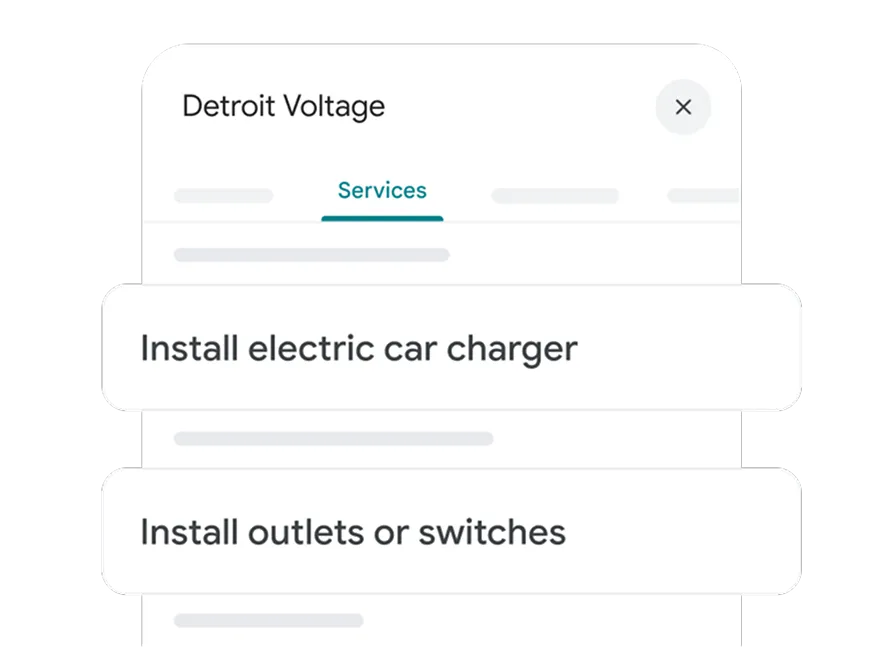
- AC repair
- Furnace repair
- Equipment replacement
- Seasonal maintenance
- Ductless installation
Only list work you actually provide.
3. Turn review requests into a working process
Make review requests part of finishing a job, so they don't depend on someone remembering to ask.
Make asking for a review part of finishing the job
- 1Finish the serviceSet the request to go out after service is finished.
- 2Send the requestText or email the correct review link.
- 3Keep it neutralInvite honest feedback from everyone eligible.
- 4Check and replyStop duplicates; respond to feedback.
Get your review link under Read reviews → Get more reviews. Save the QR code from a computer browser. You can put the link in a thank-you text or email and the QR code on a receipt. Customers need a Google account to leave a review, but it doesn't have to be a Gmail address. Review link and QR instructions, Google review guidance
Then choose how to send requests:
| Approach | Practical advantage | Tradeoff |
|---|---|---|
| Send the link yourself by text or email | Simple starting process; no separate review platform required | Someone must remember, send and record it |
| Use review automation in your existing job software | Requests can go out after the job | May require a paid module and careful setup |
| Connect a dedicated review tool | May give you reminders or a shared inbox your current system lacks | Another subscription, integration and workflow to maintain |
Check your existing software before adding another subscription. Jobber Reviews can send email/text requests after events such as a completed visit, closed job or paid invoice. Housecall Pro Reviews can send requests after finished or paid jobs. ServiceTitan Marketing Pro Reputation offers text/email review requests as a separate product from ordinary job surveys. Check what's included in your account. Jobber Reviews, Housecall Pro Reviews, ServiceTitan review requests
If your current system doesn't cover what you need, options include NiceJob for integrations and reminders, Podium for automated text invitations and a messaging inbox, and Birdeye for configurable email/text requests. Compare the features and cost against the gap you're trying to fill. NiceJob integration, Podium Reviews, Birdeye automations
Before turning on automated requests:
- Choose a trigger after the customer has received service. Creating an invoice or adding a contact may happen too early.
- Request honest feedback consistently from customers you have permission to contact. Don't select people based on the rating you expect.
- Read every message and reminder, including the defaults. Remove wording that sends only happy customers to Google. If a reminder can't be made neutral, disable it. Check that the link opens the right location's review form.
- Make sure your CRM and review tool aren't both sending the same request. Check when reminders stop.
- Test opt-outs. One request and, where appropriate, a gentle reminder is a reasonable place to start.
Example text: “Hi [Name], thanks for choosing [Company]. Would you leave an honest review of your service? Here's the link: [Google review link].”
Use your software's opt-out settings and instructions. If you include “Reply STOP,” make sure the system processes that reply.
Google prohibits review incentives, requests for specific content such as keywords or technician names, and staff review-solicitation quotas. Don't filter unhappy customers away from the public-review option. Google's review policy
Thank customers for useful feedback and respond to concerns. Keep personal details out of public replies and take complicated service disputes to a direct conversation. Write a reply the customer would appreciate reading.
4. Publish useful updates and real offers
Under Posts → Add post, choose:
- Update: A completed installation, an explanation of a maintenance visit or a change in availability.
- Offer: A promotion with dates, terms and a link where the customer can act.
- Event: An upcoming workshop or open house.
An Update can include a photo and action button. Offers have their own offer button and support terms. Check whether the post is Live, Pending or Not approved after submitting it. Google also documents scheduling controls; use them where available in your account. Google post instructions
For an installation update, get the customer's permission, show the work and link to your replacement-estimate page. For an offer, spell out what's included and excluded.
Keep your business description about the company and its services. Put promotions in posts or offers.
Post when you have something useful to share. A weekly reminder can help you check for new projects or offers; there's no established ranking benefit from hitting a posting quota.
Give each profile update a useful purpose
A completed installation, with permission to share the photo.
Update → replacement-estimate pageWhat the maintenance visit includes, what it costs and when the offer ends.
Offer → full terms and contact option5. Use Products only when the business is eligible
Google's Product Editor is intended for local stores selling physical goods. If you have a retail counter selling items such as filters, check whether you qualify. Put tune-ups and installations under Services, and promotions under Offers. Google Product Editor eligibility
6. Show real work and make contact easy
Show your team, vehicles and completed work, with customer permission where needed. If customers visit you, include the entrance so they can find it. Replace outdated or misleading images. Google photo guidance
Test booking and contact links on your phone. Where booking is available, take it all the way through to confirmation. Some profiles also offer text messaging or WhatsApp under Edit profile → Contact → Chat. Enable them only if someone will answer. Booking-link guidance, Current messaging options
These are ways for customers to contact you. Your outbound review requests still come from the CRM or review tool you set up.
7. Keep a short maintenance routine
Ask one person to check reviews, failed review requests, hours, service listings, photos and expired offers. Put a short weekly check on their calendar.
Use Performance to compare activity over a consistent period, then look at your job records. Google's Calls metric counts call-button clicks; it doesn't tell you how many calls were answered or jobs booked. Website clicks aren't submitted requests either. The report can include organic and Google Ads activity. Google's performance definitions
Keep a note of changes and dates. Watch whether you're getting more of the calls and work you want, while allowing for other things that may have changed.
Give repairs, replacements and maintenance clear website pages
Choose one service you want to grow and read its page as a customer. Does it answer the questions your office hears before someone books?
Your call notes are a good starting point. Search Console's Queries and Pages reports can also show what people already search for and which pages they find. Use that information to improve an existing page before adding another one. Search Console reporting
| Page | What a homeowner needs to know | Useful next step |
|---|---|---|
| Repair | Problems and equipment you work on, service area, availability and how a diagnostic visit works | Call or request a service visit |
| Replacement | What an estimate includes, what affects the price, installation scope and examples of your work | Request an estimate |
| Maintenance | Included tasks, exclusions, price or quote process, scheduling and any membership distinction | Request a maintenance visit |
Explain your fees and what happens next. If you offer financing, make the terms easy to find.
Use project photos, credentials and customer feedback you have permission to share. A short project story can explain the problem, the work you did and the result. Link it to the service page a reader would need next.
A good page gives ads, search visitors and referrals somewhere useful to go. It takes upkeep, but you control the explanation and the way customers contact you.
Try it on your phone. Find the service and coverage information, tap the phone number and submit a test request. Make sure it reaches the right person. The confirmation should tell customers what happens next, including whether they've requested an appointment or actually booked one.
For supporting articles, use questions from calls and estimates: what the estimate covers, what changes installation cost or what's included in maintenance. Link the answer to the relevant service page. Have technical advice reviewed, and give location pages useful local information instead of swapping town names into the same copy. Google link guidance, Doorway-abuse policy
Use the service-page checklist to work through the page you want to improve.
Keep other profiles and local content useful
Check your business information on Bing Maps, Apple Maps, Yelp and relevant local directories. Nextdoor and local community groups can also support discovery and recommendations. Follow each platform's rules for business promotion. Bing listing management, Apple Business, Nextdoor business promotion guidance
Share an installation walkthrough with the customer's permission, explain a maintenance visit or introduce the person who answers the phone.
Start with accurate listings and one social channel you can keep up with. Check which ones bring inquiries before spending time maintaining more.
For how your website and Google profile work together, see Google Business Profile versus a website
Compare paid advertising
Before comparing ad products, check what you're paying for: impressions, clicks or inquiries. Each leaves a different amount of work for your team to turn it into a job.
Where you start paying changes the comparison
Prioritize Google Local Services Ads for direct customer inquiries
If your HVAC business qualifies for Local Services Ads, put them near the top of your paid marketing list. The customer is searching for a service and choosing your business to call, message or request a booking.
You pay for a valid inquiry, and your team gets a chance to talk directly with someone who chose you. They may contact competitors too. Check availability and onboarding requirements for your category and location. How LSA leads work, Eligibility
Even when LSA works well, it may not bring enough leads at a price you can afford. Bids, the search itself, response rates and profile quality affect where you appear. Google also considers how it distributes opportunities among providers. Reviews, ratings, photos and completed verification can matter. Google's LSA ranking explanation
If LSA is bringing good work but not spending its budget, look for ways to improve the campaign before simply raising bids. A bigger budget doesn't create more searches, and paying more can erase the margin that made the leads worthwhile.
Check these six things:
- Finish the required verification.
- Select the jobs and areas you want. Broader settings can bring more calls you can't use.
- Keep the profile current, ask for honest reviews and add photos of your work.
- Make sure someone answers. Enable messages or booking only where you can handle them.
- Review bids and budget against what you can spend to win a completed job. Google offers automated and manual bidding options; check which are available in your account. LSA bidding
- Track the work booked, jobs completed, charges and credits. Separate call and message leads if their results differ.
Know the credit rules. Google screens leads and may automatically credit leads it later considers invalid or low quality. It no longer credits a lead solely because the job type or area isn't one you service. Use the lead feedback survey and check charge status, but don't budget on getting every unwanted inquiry refunded. Google's current lead-credit policy
Some missed calls and voicemails can also be charged. Make sure the phone is covered before paying for more calls.
If LSA brings profitable work, give it attention. When it can't supply enough, use Search ads and other sources to fill the gap. Compare them at the same stage: the share of Search clicks that become inquiries isn't the same measure as the share of LSA inquiries that become bookings.
Google and Microsoft Search ads
Search ads give you another way to reach people looking for the work you want to sell. They can help when LSA volume is limited or when you want a campaign built around a specific service. Microsoft offers search advertising too. Microsoft Search ads
You can choose services, locations, messages and budgets. The cost is that you pay for clicks even when people don't contact you, so the page and the way your office handles inquiries matter.
Start with one service and an area you can cover. Someone searching for a repair should land on a repair page; someone comparing replacements needs estimate information. Use separate budgets where you need spending control, without splitting a small campaign into more pieces than you can manage.
Before launching—and when reviewing the account:
- Check location options, not just the map. Google's default includes people interested in your target location. Consider Presence if you want people in or regularly in the area. Still confirm the service address: location signals aren't perfect, and an out-of-area landlord may need work locally. Location options
- Read the searches you're paying for. Open Search terms and add the Keyword column. Look for spending on recruitment, training or parts-only searches you don't want. Keep searches such as “furnace repair cost” in context—they may come from customers. Some queries won't appear in the report. Search terms, Keyword column
- Exclude searches that don't fit. Check how negative keywords match before adding them. A generic exclusion list can block services or offers you sell. Negative keywords
- Check who answers. Test calls and forms. If an ad promises emergency or same-day service, make sure your office and schedule can back it up.
- Find out what counts as a conversion. A phone-button click, an answered call, a call of a certain length and a completed job are different things. Match several reported conversions to your call and job records. A long call about work you don't do may still pass a duration threshold. Call-conversion types
- Ask what Google is optimizing for. Which conversion actions affect bidding? With the right records and setup, your marketer can send later lead outcomes back to Google. Agree on what “qualified” and “converted” mean; neither label automatically means the job is finished and paid. Conversion settings, Enhanced conversions for leads
If an agency manages your ads, keep access to the account. Ask them to walk through the searches, spending, calls and jobs with you. Bring your office records so you can compare what Google reports with what happened.
Bids, ad quality and the search affect the auction. A bigger competitor can bid more, but that doesn't tell you what you should pay. Work from your prices, job costs and results. Google's auction explanation
Agree on the budget, who handles inquiries and when you'll review results. Include management and setup fees. The budget guide walks through the numbers you'll need: home-service Google Ads budget guide If you want help running the campaigns, see what our HVAC Google Ads management covers.
Facebook and Instagram ads
Facebook and Instagram are usually a better fit for planned installations, system replacements and repeat work such as seasonal maintenance. You can reach homeowners before they start searching and give them a reason to plan the work.
Lead with a clear offer: an installation promotion with specific terms, a replacement estimate, or a maintenance visit with a defined scope and price. Show what the homeowner gets and make the next step easy. The offer doesn't have to be a discount, but it should give someone a reason to respond.
For urgent repairs, prioritize channels that reach people actively looking for help, such as LSA and Search ads. Someone whose AC just stopped working is more likely to need a contractor now than to wait until your ad appears in their feed. Use Facebook and Instagram to generate interest in work people can plan, rather than relying on them to fill emergency repair slots.
Photos and video let people see your work and the team behind it. But someone filling out a short form may still be browsing. You'll need to check what they want and follow up.
Here's how a replacement-estimate campaign could work:
- Ad: Show an installation, explain the offer and tell homeowners how to request an estimate. Make any promotion's eligibility, exclusions and end date clear.
- Form: Ask for contact details, location, work needed, timing and who can approve it. Include landlords and property managers where you serve them.
- Confirmation: Tell the person which company will contact them and what happens next.
- Office follow-up: Send the request to the person who will respond. Test this with a sample submission.
- Results: Track which requests become conversations, estimates and completed jobs.
You can use a form inside Meta's apps or send people to your website. Meta also supports CRM delivery and feedback on later lead outcomes, depending on your setup. Check the options in your account. Asking more questions may reduce submissions, so judge the form by the conversations and estimates it produces. Meta lead-generation guide
Choose an offer that makes sense at your prices. A discount that produces plenty of forms can still lose money once you deliver the work.
Yelp and Nextdoor
Check the product before comparing Yelp or Nextdoor with another source:
| Product | What to understand before testing |
|---|---|
| Yelp ads | Advertising uses cost-per-click pricing; a click is not a booked job |
| Yelp Request a Quote | A customer can send a request to additional businesses; plan for competition and response |
| Nextdoor paid products | Ads and Opportunity Alerts are distinct products; confirm current pricing, delivery and account terms |
Before paying, find out when you're charged, where requests arrive and how to stop spending. Test the notifications and make sure someone handles the replies.
Bring interested visitors back with remarketing
Remarketing shows ads to eligible people who have already interacted with your business. A completed-project example might give someone who visited your replacement page a reason to come back.
You'll need a large enough eligible audience, the right privacy settings and something relevant to say. It won't bring you a fresh audience on its own.
Decide who you're trying to reach and what you want them to do. Treat broader video, display and awareness campaigns as separate tests with their own budgets and measures.
Compare purchased HVAC leads
Buying leads gives you another source of customers to contact. The seller decides how those inquiries are found, matched and charged, so the terms matter as much as the advertised price.
The first question is what you are buying:
| Product | What you receive | Main advantage | Main drawback |
|---|---|---|---|
| Shared contact lead | A homeowner's request and contact information, also supplied to other contractors | Another source of inquiries to compete for | Other recipients may be contacting the same homeowner |
| Exclusive lead | An inquiry the seller says it sends only to your company | Less competition from that seller's distribution | The homeowner can still contact other companies elsewhere |
| Live call or transfer | A caller routed or connected to your team | A chance to discuss the job immediately | Missed-call charges and qualification rules can matter |
| Booked appointment | A scheduled conversation or visit under the provider's terms | Some scheduling work is done for you | Qualification, cancellations and no-shows still need scrutiny |
| Managed lead generation | A combination of marketing services and lead delivery | Outside help with acquisition work | Monthly, media, management and lead charges may overlap |
Ask when the person requested help and whether they still need the work. A fresh request, an older lead and a purchased contact list are very different things.
“Exclusive” means this seller sends the lead only to you
From this seller
How shared lead generators work
Modernize is one example of a much larger category. Lead generators attract homeowners through their own websites, ads or partner networks, then deliver the requests to contractors. With a shared lead, several companies may receive the same inquiry.
Examples include Modernize, Angi, homeyou, Networx's Shared plan and Porch Pro Network. Some also sell exclusive leads, live calls or branded campaigns, so compare the specific product. The number of contractors receiving a lead varies by seller and agreement.
The benefit is having another company find people asking about work you sell. The tradeoff is that those people may not know your company, may be hearing from competitors and may need several conversations before booking. Have someone ready to respond promptly, introduce your business, check the project and agree on the next step. Buying more leads won't solve a backlog of requests nobody has contacted.
Ask where the inquiry originated and whether the seller generated it or bought it from another source. If you test several providers, keep the lead IDs and customer records together so you can spot duplicate requests. Two company names don't necessarily mean two independent sources of customers.
HVAC lead providers to compare
The companies below are examples to compare, not an exhaustive directory or performance ranking. They sell different types of leads and services. Their public descriptions were checked on October 29, 2026; get the current local offer and terms in writing.
Jump to a provider: Angi · Thumbtack · Modernize · homeyou · MyHomeQuote · Buyerlink · Service Direct · Networx · Porch · 33 Mile Radius · 99 Calls
Angi
Angie's List is now Angi; HomeAdvisor and Angie's List share the corporate history behind Angi. Check the actual product offered to you rather than treating familiar brand names as independent lead sources. Angi's brand history, company FAQ
Angi supplies project/contact leads through subscription and Opportunity options. Its current FAQ says a request may be matched with up to five pros. Manually accepted Opportunities can add charges beyond the automatic monthly lead budget. Angi's lead FAQ
You'll be competing for some projects, and you pay for the lead whether or not you win. Credit rules depend on the plan; Angi's current policy excludes annual subscriptions from lead credits. Angi's credit policy
Before signing, ask which subscription or Opportunity rules apply and what charges can fall outside the monthly budget.
Thumbtack
Thumbtack is a marketplace where customers connect with pros. Its public pro offering describes free signup, no subscription fees and tools for controlling lead volume and budget. Thumbtack's pro offering
Free signup makes it easier to explore the marketplace, but the leads still cost money and aren't necessarily exclusive.
Check what triggers a charge, how your settings affect matching and when a lead qualifies for a refund. Ask for the policy that applies to your account.
Expect customers to compare quotes, but don't assume price is all they care about. Thumbtack's customer-feedback summary also points to response, communication and follow-through. It doesn't establish what HVAC customers value most. Thumbtack customer feedback
Modernize
Modernize generates homeowner inquiries and matches them with contractors. Its HVAC offering emphasizes installation and replacement projects and includes contact leads, inbound calls and live transfers. Modernize's HVAC offering
With its standard quote-matching service, the homeowner is asking to be matched with contractors, rather than necessarily choosing your company first. Modernize says it matches requests with up to four professionals. Your company may be new to that homeowner when you call. How Modernize matching works
Assign someone in your office to contact these leads promptly and follow up. Send alerts straight to the person responsible, have backup coverage and respond while the request is fresh. Introduce your company and explain why you're calling: “Hi [Name], this is [Your name] with [Company]. We received your request through Modernize about [project]. Is now a good time to go over what you need?” Record the conversation and agree on the next step. Other contractors may be contacting the same person.
That differs from a customer reaching out after choosing your Thumbtack profile or requesting a quote from your Yelp page. They've had a chance to see your business before contacting you. It still isn't exclusive: Yelp lets customers send the request to additional businesses, and Thumbtack customers can compare pros. Ask how each lead reached you instead of treating every marketplace inquiry the same way. Thumbtack's direct-choice model, Yelp quote requests
Modernize also sells a separate Branded Programs product that promotes your company and sends customers who select your brand to you exclusively. Confirm which product you're buying; its standard matched leads and branded leads are different offers. Modernize Branded Programs
For installation and replacement work, compare the cost with your office's ability to reach people and book estimates. For repairs, confirm that the specific product covers the work you want. Ask about sharing, screening, delivery hours and billing before starting.
A name you may also encounter: conXpros. It is now part of Modernize Home Services; its current About page describes shared homeowner leads delivered through Modernize's portal or a CRM. Check whether a conXpros offer overlaps with an existing Modernize campaign before treating it as a separate source. conXpros ownership and current offering
homeyou
homeyou advertises HVAC form leads generated through its own websites. Its HVAC page says a lead can go to your company and up to three other contractors. It also offers call leads, which are a separate product to compare. homeyou HVAC leads
The form-lead option gives you another source of homeowner requests without running the advertising yourself. You still need to contact the homeowner and compete for the work. Confirm your repair, replacement or maintenance categories, delivery hours and territory. Ask about advance funding, how to pause delivery and which credit rules apply to the product you're buying.
MyHomeQuote
MyHomeQuote markets HVAC leads and matches homeowners with contractors. It is another option for outsourcing the work of finding inquiries. MyHomeQuote HVAC offering
Clarify sharing before paying. Its HVAC sales page describes exclusive leads, while its published Contractor Marketplace terms say leads are non-exclusive and may be available to up to four contractors. Ask which agreement and product apply to your account, and have any exclusivity promise written into it. Also check subscription renewal, unused-lead credits and what happens when you stop. MyHomeQuote marketplace terms
Buyerlink
Buyerlink's home-services marketplace includes HVAC inquiries from several consumer brands. Ask what leads are available in your service area. Buyerlink home services
Ask for an HVAC offer for your ZIP codes, including whether it delivers calls or contact details and how homeowners are matched. Use the buying checklist below to compare the sharing rules, charges and contract with other offers.
Service Direct Marketplace
Service Direct markets exclusive live HVAC calls. Service Direct's HVAC offering
Your team gets a chance to speak with the caller as the inquiry comes in.
Answering matters: Marketplace rules treat missed calls as billable. You also can't restrict advertising to individual services within a category. To request a call review, the conditions include an answered call, recording enabled and a lead received less than seven days earlier. Duration-based campaigns have different rules. Marketplace billing and review rules
Check whether the whole category fits your business, who will answer and which campaign rules apply.
Networx
Networx lists Shared and Exclusive plans. Both provide contact details for follow-up; the Exclusive plan also describes attempts to verify requests and connect calls during business hours. Shared plan, Exclusive plan
Choose the distribution option your office can follow up on. Its published credit policy excludes losing a bid or the homeowner hiring someone else. Some help pages are older, so confirm the current agreement. Networx credit policy
Ask which HVAC categories are available in your area, how funding renews and what fees fall outside the main budget.
Porch Pro Network
Porch lets pros buy leads individually, use an automatic monthly budget or combine both. Its network includes heating, cooling and ventilation, and its consumer explanation describes matching with up to four pros. Porch pro options, Porch Pro Network
You can select individual leads or use automatic delivery, depending on how you want to manage volume.
Expect competition for some requests. Vetted Pro benefits have conditions, and Porch Pro Network leads are separate from Porch Services fulfillment work.
Confirm whether you're buying an inquiry or accepting a service assignment, then check the matching, outreach and credit rules.
33 Mile Radius
33 Mile Radius advertises exclusive live HVAC calls. Its rules for a valid lead cover who can approve the work, the service requested and the location. HVAC lead offering
Check the missed-call terms before starting. Its general FAQ includes calls unanswered after four rings and voicemail among billable situations; confirm the terms of your HVAC agreement. 33 Mile Radius FAQ
Ask what happens when your team misses the call, can't do the requested work or disputes the lead.
99 Calls
99 Calls combines marketing services such as SEO, Google Ads and LSA management. Its pricing page includes packages with different combinations of monthly, setup, ad-service and organic lead fees. 99 Calls pricing
This may fit if you want someone to manage marketing as well as generate leads.
Compare the full package cost at your expected spending level, rather than using the headline lead price alone.
Ask who controls the website, ad accounts, phone numbers and records—and what you keep if you leave.
Ten questions to ask before buying leads
Use the same questions for a national marketplace, a local broker or an agency offering appointments.
- What am I receiving? Contact details, an answered call, a transfer or a confirmed appointment—and how old is it?
- Who else gets it? Ask about sharing, affiliate sourcing, resale and duplicate requests across providers.
- Does it match my work? Confirm job type, service area, residential/commercial scope, urgency and ability to exclude unwanted services.
- What did the homeowner expect? Ask what they requested, which business they expected to hear from and how permission to contact them is documented.
- What makes it billable? Check missed calls, existing customers, wrong-service requests, call duration and appointments that do not happen.
- What can I dispute? Get the deadline, required evidence and remedy: cash refund, account credit or neither.
- What is the complete cost? Include setup, subscriptions, management, media, leads, minimum purchases and applicable taxes.
- What stops spending? Is the stated budget a hard limit, a target, a card-charge threshold or an automatically replenished balance?
- What happens when I pause or leave? Check delivery delays, renewal/cancellation terms and ownership or export of records and marketing assets.
- Can I handle the opportunity? Assign answering, qualification and follow-up before leads arrive.
Get the answers in writing. Then judge the service by the jobs it brings and what it costs to win them.
Run a controlled lead-provider test
Start with one product, job type and area. Save the agreed price, hours, spending limit, renewal terms, billing trigger, credit deadline and cancellation process. Test the phone number or email where leads will arrive, and choose who covers when the usual person is unavailable.
Check whether a “threshold” caps spending or just triggers another payment. Also ask how pausing works. Service Direct, for example, distinguishes ordinary pauses from billing pauses that can end after payment. Service Direct billing, Pause behavior
Match your handling to the product:
- Shared contact: Identify your company and confirm what the homeowner requested. Do not assume they recognize your name.
- Live call: Route it to someone who can check fit and agree the next step while the caller is present.
- Booked appointment: Confirm scope, address and expectations before committing travel or crew time.
Keep a simple log: provider lead ID, arrival time, requested service/address, first response, fit, charge, credit deadline/status and eventual job outcome. Note duplicates across sellers without assuming they automatically qualify for credits.
Put someone in charge of reviewing new charges before the credit deadline. Waiting until month-end may be too late. Send the required evidence and check that approved credits arrive. A lost bid alone isn't a billing error.
Use the completed-job calculation later in this guide to judge the test. If the calls aren't for work you want, change the settings or stop delivery under the agreement.
Get work through partner networks
Partner work can come in two forms: an introduction to a homeowner or an assigned job under someone else's agreement. Find out who sets the price, signs the contract with the customer and handles problems afterward.
Before you join a network, follow one job through
- 1Price and contractWho quotes and signs with the homeowner?
- 2Work and approvalWho authorizes parts, changes and scheduling?
- 3PaymentWho pays you, how much and when?
- 4CallbacksWho handles problems and covers the cost?
Manufacturer and dealer relationships
Manufacturer locators can help homeowners find participating contractors. Trane, for example, operates a dealer locator and directs prospective dealers to local distributors. Trane dealer locator, dealer information
A dealer listing puts you in front of people looking for that brand. Ask your distributor how to qualify, what territory it covers and whether there are training, cost or marketing commitments.
Retailer installation networks
Home Depot and Lowe's have screened service-provider programs. Ask whether they're accepting HVAC providers in your market. Home Depot partnerships, Lowe's provider enrollment
These programs can connect you with installation customers, but you'll need to understand how much control you have over pricing, scheduling and the customer relationship.
Before joining, establish who quotes, signs the contract, collects payment, handles callbacks and talks with the homeowner.
Utility and efficiency-program directories
Your utility or a local efficiency program may have a contractor network. Mass Save's Heat Pump Installer Network is one regional example. Mass Save installer network
Look at your utility's contractor and rebate pages, and ask your distributor which programs cover your area. Check the training and paperwork required before applying. A listing gives people a way to find you; it doesn't promise a set number of jobs.
If you mention an incentive to customers, explain its eligibility requirements rather than presenting it as available to everyone.
Home-warranty dispatch work
Frontdoor/American Home Shield and First American recruit providers to carry out assigned service work. Frontdoor provider network, First American provider process
You don't have to find each homeowner yourself. In return, you work within the program's rules for authorization, labor allowances, parts, payment and callbacks.
Ask to work through the pay and obligations on a representative job. Advertised volume won't tell you whether those jobs are worth taking.
Property managers, builders and trade partners
Property managers and landlords need repairs and maintenance. Builders and remodelers need installation help. Plumbers, electricians, inspectors, real-estate agents and other HVAC companies may also need someone to refer work to.
Larger vendor programs may ask for licensing, insurance and onboarding paperwork. Invitation Homes lists those requirements, and local builder associations can help you meet purchasing teams and other contractors. Invitation Homes vendors, NAHB membership
One good relationship can bring repeat work. It can also take up a lot of your schedule, so check response expectations, approval limits and payment terms before committing.
Start with a few organizations whose needs fit your services and availability. Ask how they choose vendors and what they need from an HVAC contractor.
If you're equipped for commercial work, facilities managers and procurement teams are another option. Check their scope and bidding requirements separately.
Introduce yourself to potential partners
Put together a short introduction with your services, area, availability, licenses/insurance, examples of work and the person to contact.
Try: “We handle [services] in [area] and have room for [work]. Are you taking on HVAC vendors or looking for someone to handle overflow? I can send our service details and credentials.”
With your distributor, ask about dealer listings, training and any co-op marketing funds, including how reimbursement works. With property managers and trade partners, ask how they approve and assign jobs.
Before agreeing to ongoing work, look at the scope, pay, travel, parts, callbacks and payment timing on a representative job. Make sure it works for both your schedule and your margins.
Bring back customers and earn referrals
Bring past customers back
Before paying to find every customer from scratch, look at the people who already know your business. Past service records can help you choose who has a reason to hear from you.
Keep the message relevant and respect contact preferences. Having someone's number from an old job doesn't give you permission to send every marketing offer.
Start with one group:
| Group | Relevant reason to contact | Check before sending |
|---|---|---|
| Past maintenance customers | Offer a suitable next maintenance visit | Service history, existing bookings and contact preferences |
| Lapsed customers | Reintroduce a service you still provide | Whether the record and offer remain relevant |
| Open estimates | Answer questions and agree a next step | Current estimate status and prior conversations |
| Active members | Arrange a visit already included in the plan | What is actually owed and already scheduled |
For a maintenance campaign, choose past customers who may be due for another visit. Remove people already booked, recently contacted, opted out or covered by a separate membership reminder. Test the booking link, give someone responsibility for replies and check how many visits you can take.
Build a maintenance reminder list you can actually serve
- Already booked or recently contacted
- Opted out or without the needed permission
- Receiving a separate membership reminder
Example: “Hi [Name], it's [Company]. Would you like to book your next maintenance visit? Reply here or call [number], and we'll go over what's included and find a time.”
For a short list, you can send messages yourself. For a larger list or recurring reminders, check your existing software. Jobber Campaigns supports segmented and automated email; Housecall Pro offers job-related email automations. Check the features in your account and who you're allowed to contact before turning them on. Jobber Campaigns, Housecall Pro email automation
Remove people from the campaign as they book or opt out. If the schedule fills, pause the offer. Keep new sales separate from following up on an estimate or delivering a member visit you've already sold.
Make maintenance plans easy to understand
A maintenance plan should be easy to explain at the end of a service visit: what the customer gets, what it costs and how they book the next visit.
Work out whether you can afford and deliver the included visits, discounts and any priority service before selling the plan.
Put the details on your website and in the invoice or customer portal: who the plan fits, included tasks and visits, exclusions, price, scheduling, renewal and cancellation terms.
Make someone responsible for scheduling the visits you've sold. A new membership brings future obligations along with the revenue.
Make it easy for customers to refer you
Give customers a link or contact card that says what you do and where you work.
Example: “If someone you know needs [supported service] in [area], you're welcome to share our number or this page: [link].”
If you offer a referral reward, write down the terms before promoting it. Keep it separate from Google reviews, where rewards are prohibited regardless of the rating. Google's review policy
Ask who made the referral and record it with the new customer's job. If there's a reward, track when it's due and whether it's been delivered. You can also run referrals without a reward using a shareable link or card.
For a reward program, decide which jobs qualify, when the reward is earned, its value and who sends it. Example wording: “When a new customer you refer completes and pays for [qualifying service], you'll receive [credit]. Here's how it works: [terms].”
A tool can help track referrals and credits. Jobber offers referral links and credit tracking; check how it works in your account before promising customers a benefit. Jobber Referrals
Use neighborhood and offline marketing
If you work in a tight service area, mail, signs and local events can help people recognize your company. Give each one a clear offer and an easy way to contact you.
| Option | Practical use | Pros | Cons |
|---|---|---|---|
| Postcards or direct mail | Promote one service in a chosen area | Geographic focus and a physical reminder | Printing, postage and design costs arrive before responses |
| Door hangers or leave-behinds | Make nearby households aware of work you do | Can concentrate effort near existing jobs | Requires labor and attention to property/local rules |
| Vehicle branding and permitted yard signs | Make your business recognizable during real work | Repeated local visibility | Attribution is difficult; a sign won't tell you who needs service |
| Home shows, workshops and community events | Have conversations about a specific service | Space to answer questions and demonstrate expertise | Event fees, preparation, staffing and follow-up |
| Sponsorships, newsletters and local media | Reach a relevant community audience | Can build familiarity | Audience relevance and response can be hard to measure |
USPS Every Door Direct Mail allows route-based mail distribution without purchasing an individual address list. Check its format and mailing requirements before printing. USPS EDDM
Start in one area with one offer. Add up the costs and ask callers how they heard about you, while recognizing that they may not remember every ad they saw.
Example postcard test: Pick routes inside your service area and promote a maintenance visit. Explain what's included and excluded. Add a phone number plus a page or QR code for the campaign, and make sure someone is ready to handle responses.
What to put on a maintenance postcard
Ready for your next maintenance visit?
[What the visit includes]
[Price or how to get a quote]
[Service area, exclusions and any end date]
Give customers an easy way to respond. Test it before printing.
USPS offers route selection and printing assistance. Its demographic data describes a route, not the condition of each home's HVAC system. Check the mail format before printing, then record design, printing, postage, staff time and the jobs the campaign brings. USPS EDDM planning
At an event, focus on conversations about work you can do and ask interested people whether they'd like a follow-up. Keep giveaway entries separate. Around an installation, get the necessary customer/property permission before using signs or other neighborhood promotion.
Turn inquiries into booked work
Before buying more leads, follow a few recent ones through your office. Did someone answer? Could you do the work? Was an appointment offered? What happened after the estimate?
A missed handoff is worth fixing because it affects the leads you're already paying for. Give someone responsibility for the fix and check whether it helps.
Keep one inquiry connected from first contact to finished job
- 1ReceiveRecord source, service, address and time.
- 2RespondAssign a person and a backup.
- 3Agree the next stepBook a visit or estimate; record why it cannot proceed.
- 4Record the outcomeUpdate completion, payment or the reason it was lost.
Decide who answers and what happens next
For every new request, know who will respond, whether you can do the job and what happens next. That may be an appointment, an estimate or a clear reason you can't help.
Try: “What's the service address, and what do you need help with? When are you hoping to have someone out? Let me check our area and schedule.”
Record where the request came from, when it arrived, the work and address, who is handling it and the next action/date. Keep repair visits, estimates and accepted installations distinct.
Submit a form and make a test call from your phone. Check what the customer sees and who receives the request. Name a backup for when the usual person is away.
Recover missed calls and handle after-hours requests
Keep a missed-call list and put someone in charge of calling back and recording what happened. An automated text can acknowledge the call, but the customer's request still needs attention.
Whether you use your office staff, an answering service or software, check the same things:
- Can it identify the requested service and actual address?
- Does it know your real coverage, availability and appointment rules?
- Can it pass the conversation to the right person?
- What happens when it cannot answer or book?
- How do you test and review its handling?
Try calls that match what your office hears, including requests you can't take. Housecall Pro's AI-answering guidance, for example, describes the need for enabled services and available booking slots, and notes that mistakes can happen. Test the setup and review the calls. Housecall Pro answering guidance
If you advertise emergency service, make sure someone can arrange it. Answering overnight doesn't by itself mean you can send a technician.
Follow up on open estimates with a purpose
Ask when the customer would like you to follow up and put it on the calendar. You could say: “Hi [Name], have you had a chance to look over the [project] estimate? I'm happy to go through the scope or scheduling with you. If your plans have changed, let me know.”
Find out what's holding up the decision: a question about the work, timing or another person who needs to weigh in. Record why jobs are declined. Any deadline or limited availability you mention should be real.
Use a reminder or your software's quote-follow-up tools. Jobber offers automated quote follow-ups, and Housecall Pro has estimate pipeline workflows. Stop reminders when a customer accepts, declines or asks to pause. Jobber automations, Housecall Pro Pipeline
Keep the follow-up attached to the original inquiry so it doesn't appear as a second lead.
Build a simple marketing plan and measure results
Pick a few actions your team can carry out. Write down the work you want, what you'll try, what it will cost and when you'll review it.
| Planning input | Where to get it |
|---|---|
| Desired job type and service area | Which jobs you want and where you can do them |
| Available appointments or installation capacity | Dispatch calendar and existing commitments |
| Starting channel | The comparison above and your own source history |
| Total spending and time limit | Current written quotes, available budget and staff hours |
| Person responsible for response | Who answers and when they're available |
| Outcomes and costs | Call/form records, CRM or spreadsheet, invoices and completed-job records |
| Review date and decision | A date to assess response, job fit, spending and outstanding opportunities |
You can use a 30-day plan to get organized. Allow longer to judge SEO, partner onboarding and replacement sales that haven't had time to turn into work.
Two example starting plans
Here are two hypothetical starting points. Use your own busy and quiet periods to choose timing, and count installation crew-days separately from service-call slots.
You have room for repair work. Check your Google profile, repair page and phone coverage. Start with eligible LSA. If it's bringing profitable jobs, improve it and see how much room remains in the schedule. If you need more calls, test a focused Search campaign or a repair-compatible lead provider. Set the service area and spending limit, and watch for calls you can't use or aren't answering.
Your repair calendar is full, but you have room for installations. Improve the replacement-estimate page and follow up on open estimates. Compare a replacement-focused campaign or provider with dealer and retailer opportunities. Focus spending on the work your installation team can take.
Set up source tracking before the test
“Google” is too broad to tell you much. Where you have the information, separate Search ads, LSA, organic website traffic, GBP, named lead providers and referrals. Keep an unknown category, and distinguish what a customer tells you from what your tracking records.
Campaign tags are short labels added to a link so you can tell which campaign sent the visit. For example, a maintenance email could use utm_source=customer_email, utm_medium=email and utm_campaign=fall_maintenance. Ask whoever manages your website to help set this up. Submit a test request through that link and check that the campaign reaches your form and customer record; seeing the visit in Analytics alone won't connect it to a completed job. Google campaign URL guidance
Keep provider logs, calls and job updates connected to one customer inquiry. Someone who finds your Google profile, visits the website and fills out a form is one inquiry. Keep those steps together and use a consistent rule for crediting the completed job to a source.
Check that phone inquiries are recorded correctly too. Include your team's time when comparing work you do yourself with paid help, without counting the same cost twice.
Track outcomes beyond the lead count
Start with four fields: source, requested job, outcome and spend. Add contact and job identifiers so you can update outcomes and detect duplicate inquiries.
Track the steps between the first call and payment. A repair booking, replacement estimate and accepted installation tell you different things; none means the job is finished yet.
For each source, record:
- Total acquisition costs: applicable media, provider, management, setup and creative charges.
- Inquiries that fit your service, location and capacity.
- Conversations, appointments/estimates, accepted work and completed jobs.
- Credits actually received, duplicate requests and outstanding opportunities.
- Revenue collected and the direct cost of delivering the work.
Get labor, equipment, materials and subcontract costs from the job records. Keep those direct costs separate from general overhead, using the same approach for each source.
If you've prepaid for leads, separate money still sitting in the account from money already spent on delivered leads. Watch both the cost and the cash tied up.
Cost per completed job = total cost of generating those inquiries ÷ completed jobs that came from them.
Here's a made-up example with two groups of repair inquiries, the same follow-up period and no jobs still pending:
| Result | Source A | Source B |
|---|---|---|
| Total acquisition cost | $1,000 | $1,000 |
| Inquiries | 20 | 10 |
| Cost per inquiry | $50 | $100 |
| Completed jobs | 2 | 5 |
| Cost per completed job | $500 | $200 |
Source A has cheaper inquiries, but Source B costs less per completed job. To choose between them, you'd still need to know what those jobs brought in and cost to deliver. These figures illustrate the calculation; they aren't provider benchmarks.
The cheaper inquiry can cost more per completed job
Total acquisition cost ÷ completed jobs = cost per completed job
Suppose you collect $600 for a job and spend $350 on direct delivery costs. That leaves $250 before marketing and overhead. If winning the job cost $200, you have $50 left toward overhead and profit.
You can work backward too. If your budget allows $200 to win a completed job and 25% of comparable inquiries turn into completed jobs, you can spend $200 × 25% = $50 per inquiry in total. Management and other acquisition fees come out of that $50, leaving less for the lead itself. These are example numbers; use your own completion rate and leave room for overhead and profit.
If an October estimate becomes a completed installation in November, update the October group it came from. Dividing October's spending by unrelated November jobs will give you a misleading result. Compare similar work and give pending estimates time to close. If no jobs have completed, report the spending and zero completed jobs; the cost per completed job isn't $0.
Review the results before buying more. You may need to change targeting, fix how calls are handled or stop a source. A small test gives you something to work with, not a reliable forecast of every future month.
Here's where to look when the results fall short:
| What you observe | What to check next |
|---|---|
| Frequent requests for unsupported work | Search terms, targeting or provider matching |
| Suitable callers are missed or never reached | Who answers, who calls back and whether requests reach them |
| Suitable conversations rarely become appointments | Available appointments, how booking works and why customers hesitate |
| Many estimates remain open | Their age, follow-up and the customer's next decision |
| Completed jobs cost too much to acquire | Fees, the jobs you're winning, what they cost to deliver and where customers drop out |
Check the records before deciding what's wrong. There may be more than one cause, and open estimates may still turn into jobs.
Choose the next action
Choose the work you want to book, one source to test and one improvement to how you handle the calls. Decide who's responsible for each and when you'll review the results.
If you'd like help with Google Ads, Local SEO, LSA or your website, take a look at our HVAC marketing services or Talk To Sales about what you're trying to grow.