
Start with the work you want.
A residential service company needs a different site from a contractor bidding on commercial projects. We organize your pages around the jobs, properties and locations you serve.
Show your work. Help customers choose you.
Quips designs and builds websites for electrical contractors. Give customers a clear view of your services, qualifications and completed projects, with simple ways to call or request an estimate.
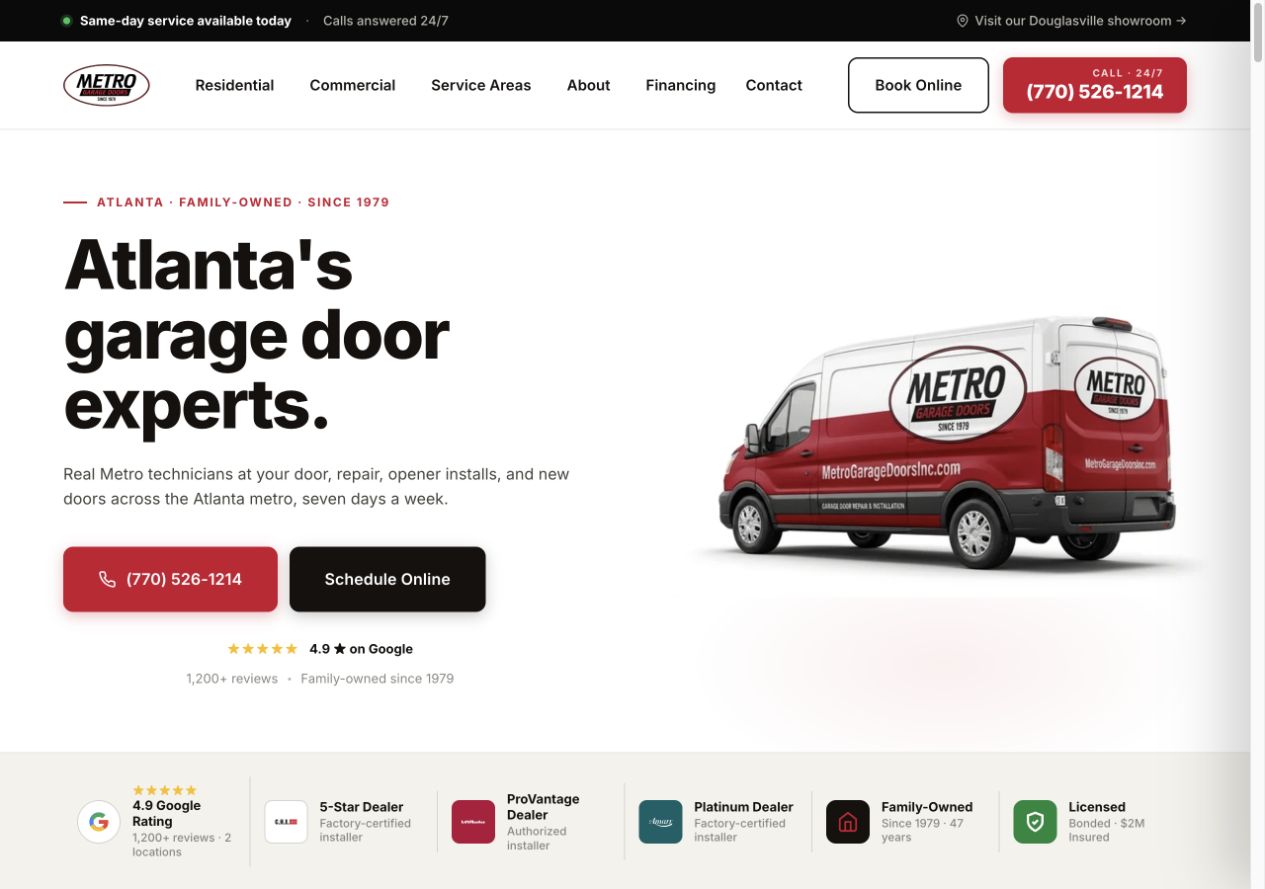
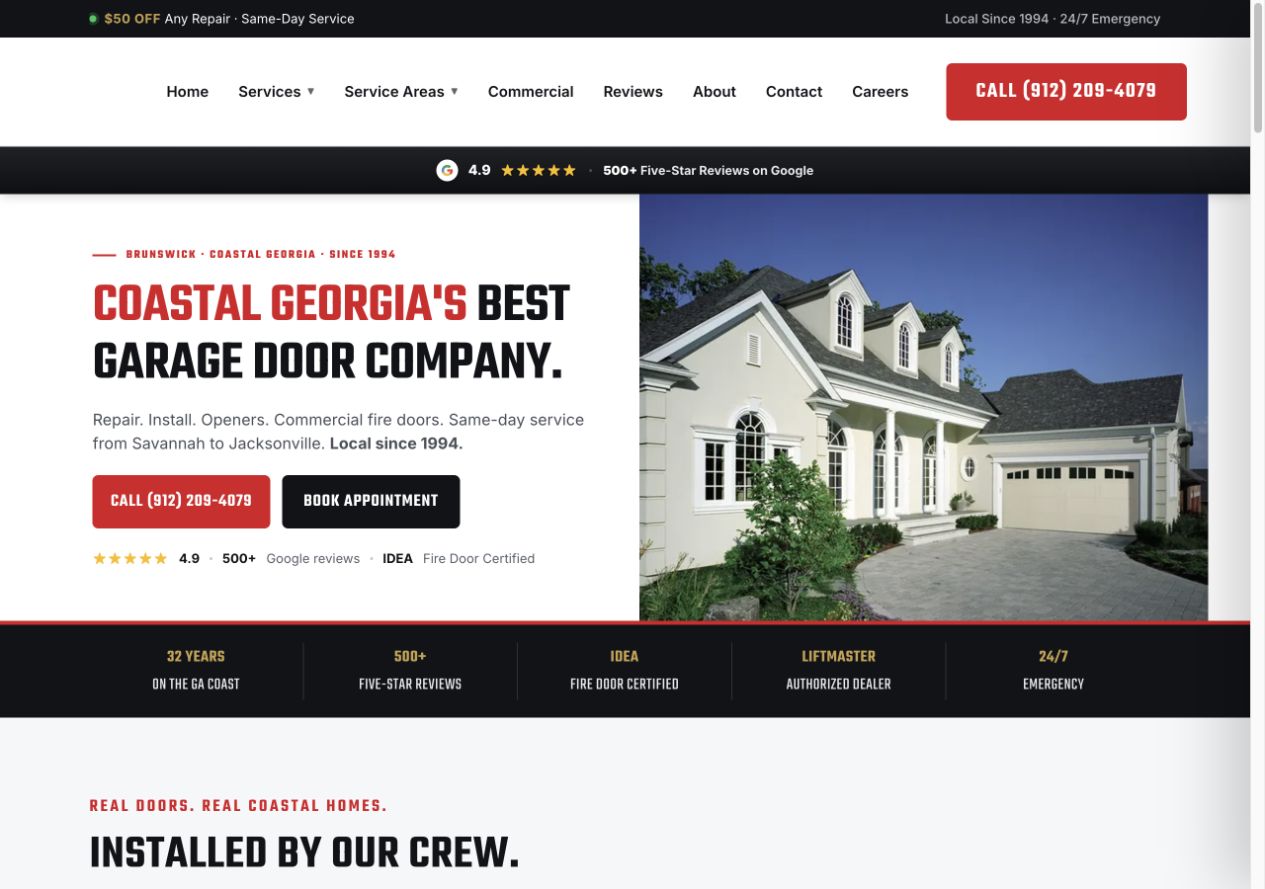
Garage door projects designed by our team with Garage Door Partners. Screenshots from the original projects.
Quips turns your service details, project photos and business knowledge into a website customers can use. We handle the page plan, design and copy, then test the agreed contact options before launch.
Explore our website serviceA residential service company needs a different site from a contractor bidding on commercial projects. We organize your pages around the jobs, properties and locations you serve.
We turn common customer questions into service descriptions and explain how an estimate or visit works. AI assists research and drafts; our team edits the copy, and yours confirms technical details, qualifications and offers.
We check menus, readable text, call links and forms on smaller screens, including labels, keyboard access and error messages. Customers should not have to zoom in to contact you.
We check that service requests and project inquiries reach the intended person, with the information submitted and a clear customer confirmation. Booking tools are tested where included in the project.
A homeowner looking for a repair, a family planning an EV charger and a property manager requesting a quote need different information before they contact you.
Someone with an electrical problem may know what has stopped working without knowing the cause. The page should explain the work you handle and how to reach your office.
Contact the office to discuss the problem and service availability.
Someone comparing electricians for a planned upgrade needs to understand your experience and estimating process. Give important services their own useful detail.
Request a project estimate without choosing technical specifications.
A property manager or general contractor needs to know whether your team fits the building and scope. Make commercial experience easy to find when it is part of your business.
Send the project details to the person who handles commercial estimates.
An EV charger page should help a customer understand your service and how to get an estimate. It should not ask them to work out their home's electrical requirements.
Explain which installations you take on, whether customers can supply equipment and what happens during the assessment. Your team confirms what you can say about site visits, permits, equipment and pricing.
Use the business name and current license details your team verifies, with a link to the relevant public record where available. Pair approved project photos with a short description of what you installed. A photo or badge should not imply a certification you do not hold.
Review our service-page checklistA project request should tell your office who needs help, where the work is and what they have in mind. Technical assessment comes later.
Keep the first form short. Let customers say they are still deciding.
For ServiceTitan, Housecall Pro or another system, we check the forms and connections available to your account. CRM routing, file uploads and scheduling are included only when agreed and tested.
We test the destination and notification. A home installation request can go to the residential team; commercial plans can follow a separate path if your setup supports it.
The customer sees what happens next and when your office normally responds. A request is not described as a confirmed appointment unless the booking system has reserved one.
The office reviews location, scope and access, then arranges the next step. Your electrician confirms technical suitability and the work needed through your normal assessment process.
We agree how to record inquiries, estimates and accepted projects using the systems you have. A form submission and a completed job stay separate in the reporting.
Your current site may already have useful service pages, search visits and contact tools. We review them before deciding what to improve, carry over or replace.
For a rebuild, we agree the migration work and coordinate with whoever manages your domain, hosting and email. That makes the changeover part of the project plan.
Google’s guidance on moving site URLsKeep useful page addresses where possible. If a repair, panel-upgrade or commercial page moves, map its old URL to the relevant replacement with an appropriate permanent redirect. Update internal links and the sitemap.
Review service pages, mobile calls, request forms, booking links and agreed tracking. Check the settings that keep your business email working before changing the website’s hosting.
Agree who monitors errors, indexing and inquiries during the transition, and who fixes problems. Search engines need time to recrawl changed pages; a redesign cannot promise unchanged rankings.
Decide which updates your team will make and which checks or changes you want Quips to handle after launch.
When pages or booking tools change, check that important content remains indexable and that images or third-party tools have not slowed the site or shifted its layout.
Google’s Core Web Vitals guidanceKeep license details, service hours, project photos and the work you accept current. Agree who supplies updates and who removes expired offers or qualifications that no longer apply.
Profile management and continued content work belong in the Local SEO for electricians scope. A dedicated ads landing page can support one campaign alongside the wider website.
Bring the pages you have and the questions customers keep asking your office.
We discuss what customers need to find, which work you want to show and how your office handles requests. Then we recommend focused improvements or a rebuild.
The proposal sets out pages, content, platform, integrations, migration, price and review milestones. Confirm access, hosting, ownership and any ongoing support before starting.
You check the design, service details and claims. We test the agreed customer paths on desktop and mobile, then coordinate launch and handover.
The proposal reflects the pages, content, project galleries, integrations and migration you need. A residential service site has different requirements from a commercial contractor site with project documents and separate inquiry routing. We separate the build price from hosting, ongoing updates and other marketing work.
We agree milestones after reviewing your current site, available content, approvals and any integrations. Tell us early about a rebrand, expiring agency agreement or planned service launch. Photos, credentials and access to your current setup help us plan the work.
Yes, when the platform and structure are suitable. Better service pages, a clearer project gallery or a simpler request form may address the immediate problem. We review the site and recommend improvements or a rebuild based on what it needs.
Yes. We can plan separate navigation, project examples and inquiry options for each audience. Your team confirms the sectors, services and project sizes it accepts, so visitors can judge whether to get in touch.
We review the usable team, vehicle and project photos you already have, then identify gaps. Use images you own or have permission to publish. We do not present stock photos, another contractor’s work or generated projects as yours.
We choose the platform around the content, editing and support you need. Before work starts, the proposal identifies domain control, editing access, website files, hosting and maintenance responsibilities. Bring your existing agency agreement so we can check transfer requirements.
The agreed build includes service-page structure, titles, internal links, mobile layouts and indexing checks. Ongoing Local SEO for electricians is scoped separately. We assess CRM and booking connections against the tools and access you have; specific connections are confirmed in the proposal.
Show us your current website, or tell us about the one you need. We’ll talk through the design, pages and work involved.
Get started