Your Local Services Ads are on. Your phone isn’t ringing. Before you raise the budget, open the lead inbox. Are calls down, or are messages sitting there unanswered?
Never had a lead? Start with verification. Calls stopped suddenly? Check alerts and anything that changed since the last good week.
The screenshots below show the separate LSA dashboard. If signing in redirects you to Google Ads, your account has moved. Budgets, bidding and lead management work differently there; use Google’s migration guide for the matching controls. Don’t compare across the move without your saved historical reports.
1. First, check what changed
Open Reports and compare the quiet stretch with a similar period before it, using the same number of days. Check phone, message and booking leads separately. A quiet phone doesn’t always mean an empty inbox.
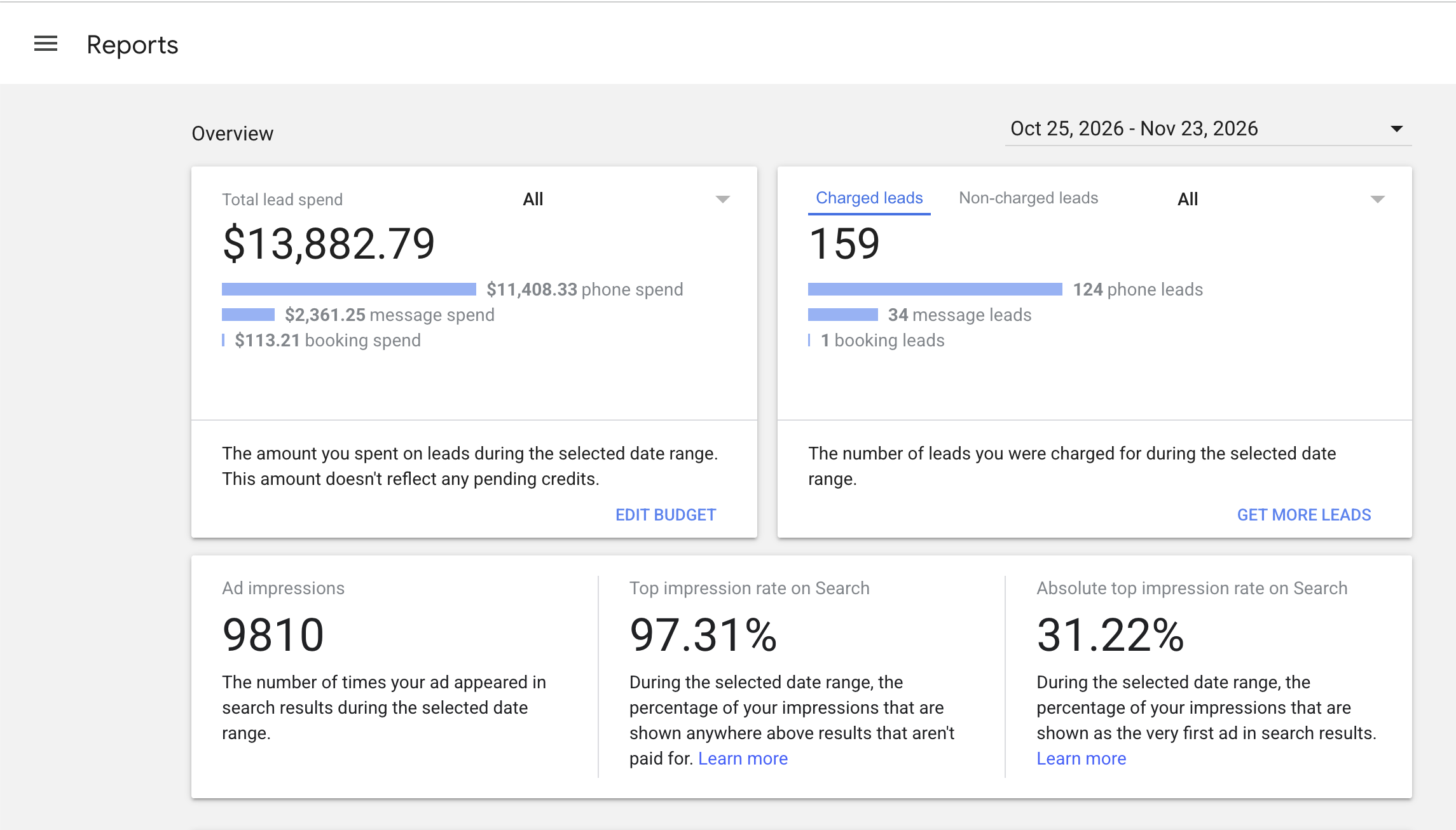
The report above separates Ad impressions from Top impression rate on Search. Impressions count appearances. The top rate measures how often those appearances were above unpaid results; absolute top means the very first ad. Neither percentage tells you your share of all local searches.
- Fewer impressions and fewer leads? Start with account alerts, budget and targeting.
- Similar impressions, fewer inquiries? Look at the profile people see and how they can contact you.
- Leads arrived, but jobs didn’t? Jump to lead quality and follow-up.
One quiet day isn’t much to diagnose. Look for a pattern, and note when it started. The spend shown here also excludes pending credits. How to read LSA reports
2. Is anything holding the account up?
Open Business Verification and look for an unfinished check or an account alert. In the screen below, every listed check is complete. That clears this check; it doesn’t promise a full calendar.
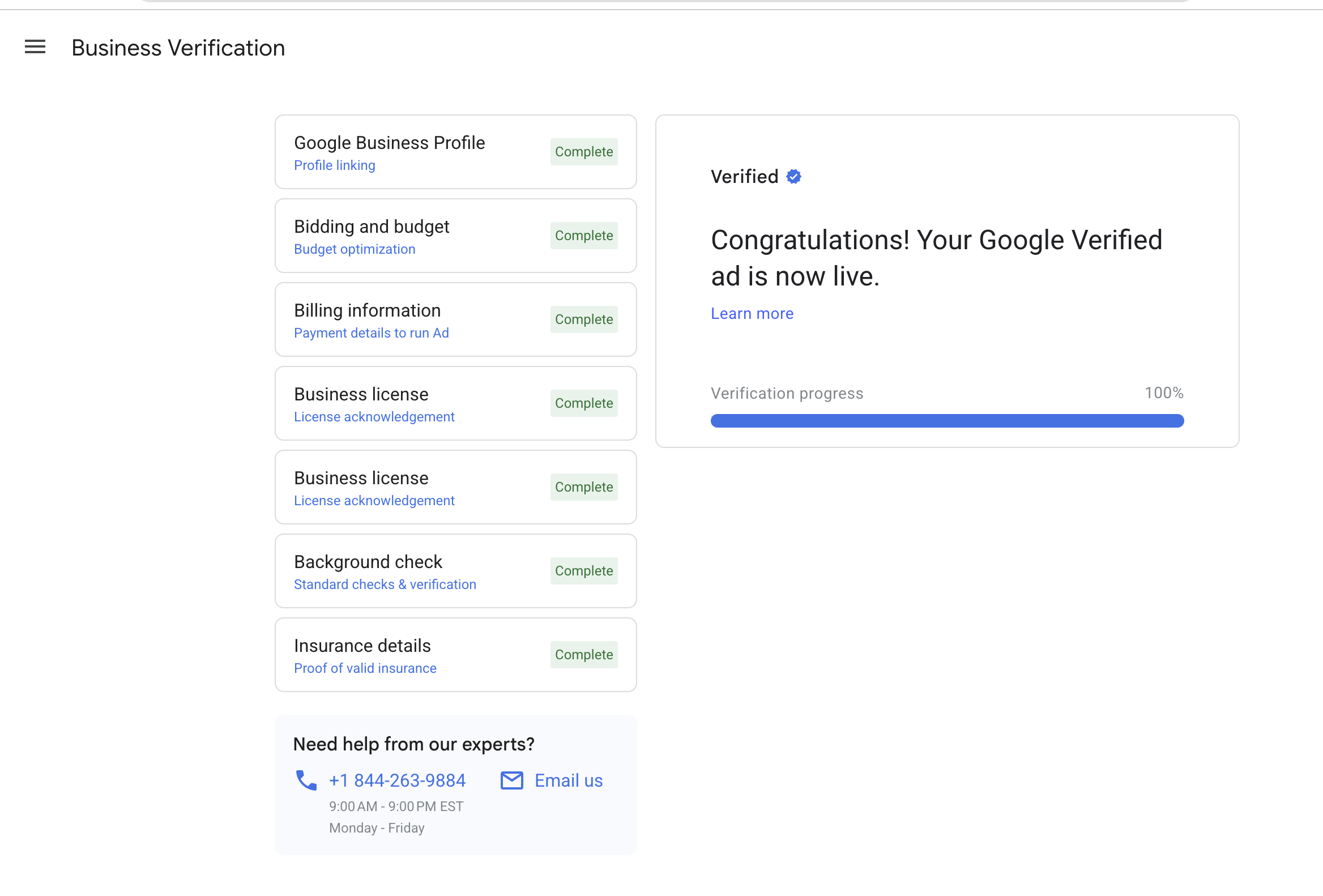
If your account requests insurance or license documents, check the status and expiration date. Uploaded doesn’t always mean approved. Follow the actual notice instead of assuming the upload fixed it. Google’s verification requirements
For accounts already moved into Google Ads, Google says insurance and license reverification is no longer required. Check the current account notices instead. What changes after migration
Check the connected Google Business Profile too. Is it public, verified and linked to the right business and location? A suspension or wrong match needs attention first. The Business Profile guide covers the basics; Google’s affiliation guidance covers matching problems.
3. Budget and bids: check both
Budget and bids do different jobs. Your budget limits spending. Your bid settings affect how you compete for leads. Check billing alerts and the monthly spending limit before reaching for either pencil icon.
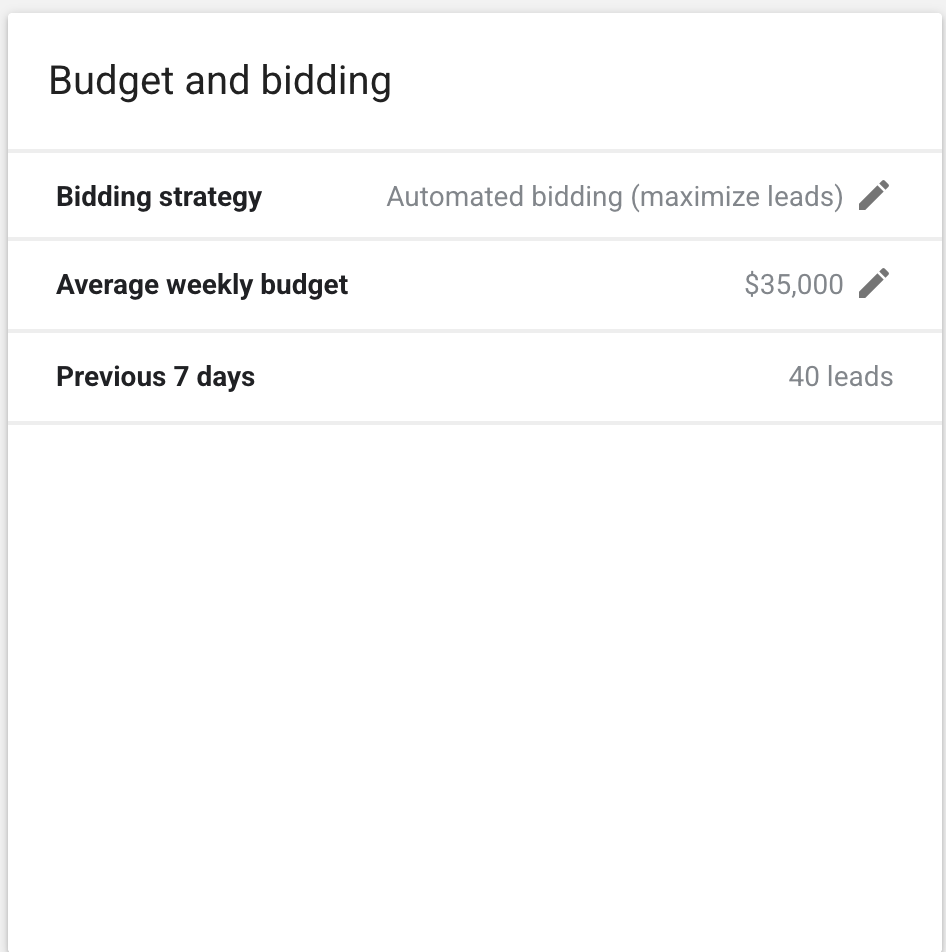
In the separate LSA dashboard, Google recommends Automated bidding (maximize leads). The optional target cost per lead aims for an average, not a fixed price for every inquiry. How LSA bidding works
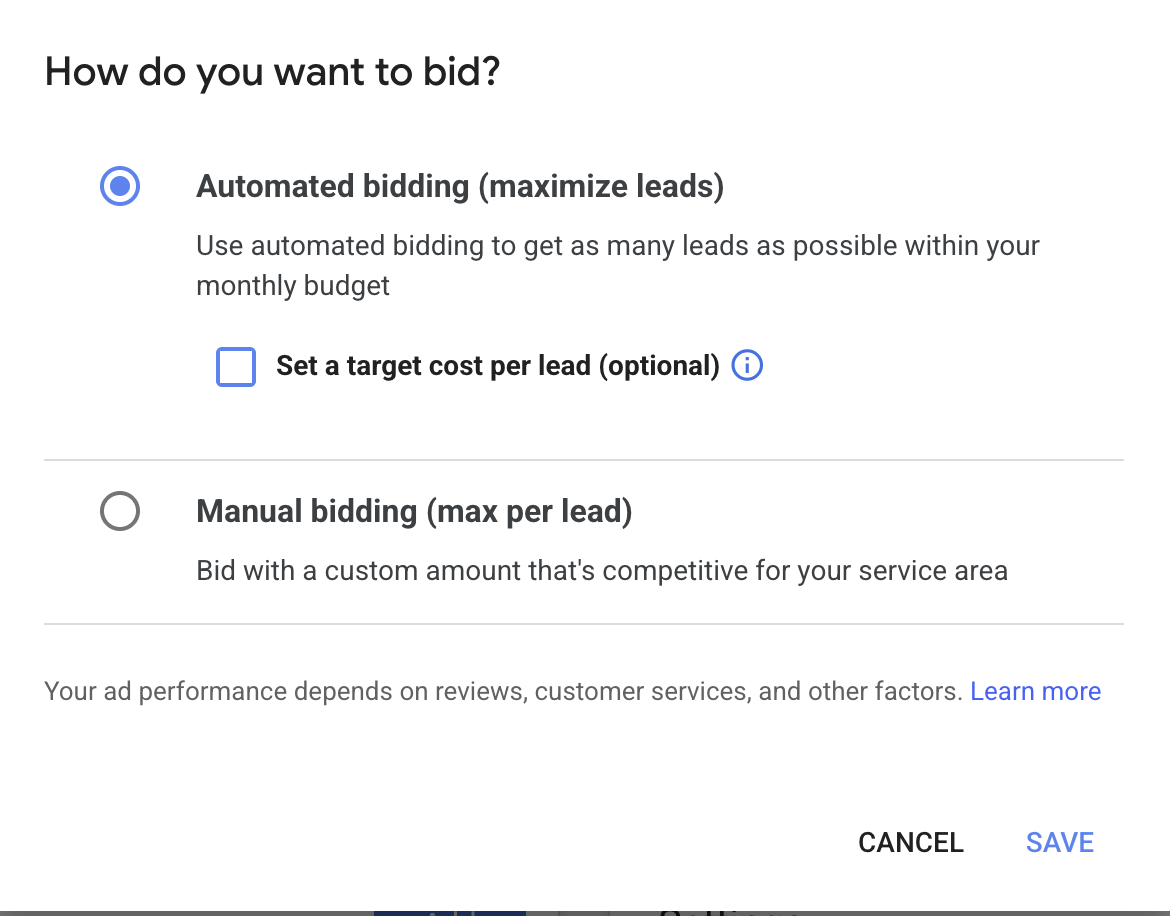
A huge budget doesn’t create extra local demand. Raise it when the spending limit is actually stopping a useful campaign from running, and keep the amount within what your business can sustain.
Google’s bidding guidance allows about two weeks for the model to learn about your business. That’s guidance for judging results, not a reason to ignore an account restriction. How LSA bidding works
4. Still using your old settings?
Still showing old opening hours? Sending calls to an old number? Check your job types, service areas, schedule and call destination against how your business runs today.
Add a missing service if you offer it. Don’t add distant ZIP codes just to get the phone ringing. Broader coverage can bring more inquiries, but that won’t help if they’re for jobs you don’t take.
Test your business phone and routing directly, without calling through your own ad. Check message and booking options too, if enabled. Someone needs to be watching those inboxes. Google’s performance guidance
5. Would you choose your profile?
Look at it as a homeowner would. Can they see what you do, who they’re hiring and why they should contact you?
Use current team and job photos, accurate service details and honest customer reviews. Google lists reviews, responsiveness, images and completed checks among its ranking inputs. How LSA ranking works
Then check missed calls and unanswered messages. A good-looking profile can start the conversation. Someone still has to pick it up.
6. Leads came in. What happened next?
Were they for services you offer, in areas you cover? Did someone respond? Was the customer looking for a day you couldn’t provide?
Record the reason when you know it. Use lead feedback and the Booked option accurately, where available. That helps separate unsuitable inquiries from good prospects who didn’t become jobs.
A paid lead isn’t a promised job, and an unwanted inquiry isn’t automatically refundable. The separate LSA dashboard has specific credit rules; migrated accounts use Google Ads lead-quality and charge-status controls. Judge the channel by the work it brings, not just the lead count.
Everything looks right. Now what?
A correct setup still has to compete for the searches available in your area. Change one thing at a time and note the date so you can tell what helped.
For an unresolved restriction or wrong profile match, contact Google support with the alert, account details and what you’ve already tried. If the account recently migrated, check that timeline too: Google says the transition and performance ramp-up can take up to two weeks. Migration guidance
Keep LSA running when the leads make sense for your business, but don’t make it your only source of work. The LSA vs Google Ads guide explains how the two can work together.
Sources
Google documentation checked November 23, 2026.