
You need more jobs. Angi and Thumbtack can help you find them, but you pay for the introduction before you know whether you’ll win the work.
Thumbtack is worth trying first if you want to adjust lead prices and actively manage your profile. Angi is worth a look if its projects, costs and account terms fit your business.
The better choice depends on what happens after the inquiry. Can you respond quickly, book the job and make enough on it? Here’s how to compare the two, with a calculator to check your own numbers.
What you’re actually paying for
Both platforms sell opportunities to win work. Here’s what you can control as a home-service business buying leads.
Swipe or scroll to compare both platforms.
| What matters | Thumbtack | Angi |
|---|---|---|
| Getting inquiries | Customers can find and contact your business through its profile. | Leads and optional Opportunities connect you with interested homeowners. |
| Lead pricing | Pros have lead-price settings and budget controls. | Angi sets lead fees based on factors including task, location and demand. |
| Choosing the work | Set preferences for services and the jobs you want. | Set services and locations; review optional Opportunities before pursuing them. |
| Commitment | Thumbtack advertises no subscription or membership fees. | Options include accounts with and without annual subscriptions. Your agreement matters. |
| Following up | Manage customer conversations through the platform. | Call or message homeowners and track lead status in Angi for Pros. |
| Job guarantee | A lead is an opportunity to win work, not a guaranteed job. | Paying for the introduction doesn’t guarantee the job. |
Before spending, check the settings and terms in your own account. Both platforms change, so an older comparison may miss a detail that affects your bill. Thumbtack for pros, Angi’s lead FAQ
Where Thumbtack can fit
On Thumbtack, you can work on your profile, reviews, job preferences and lead prices, then manage the inquiries that come in.
It’s a good fit for someone who can keep up with it. Leaving the app unopened until the end of the day makes winning those jobs harder.
Start with the jobs you want, in areas you can serve profitably. Show customers what you do, photos of real work and reviews that help them feel comfortable contacting you.
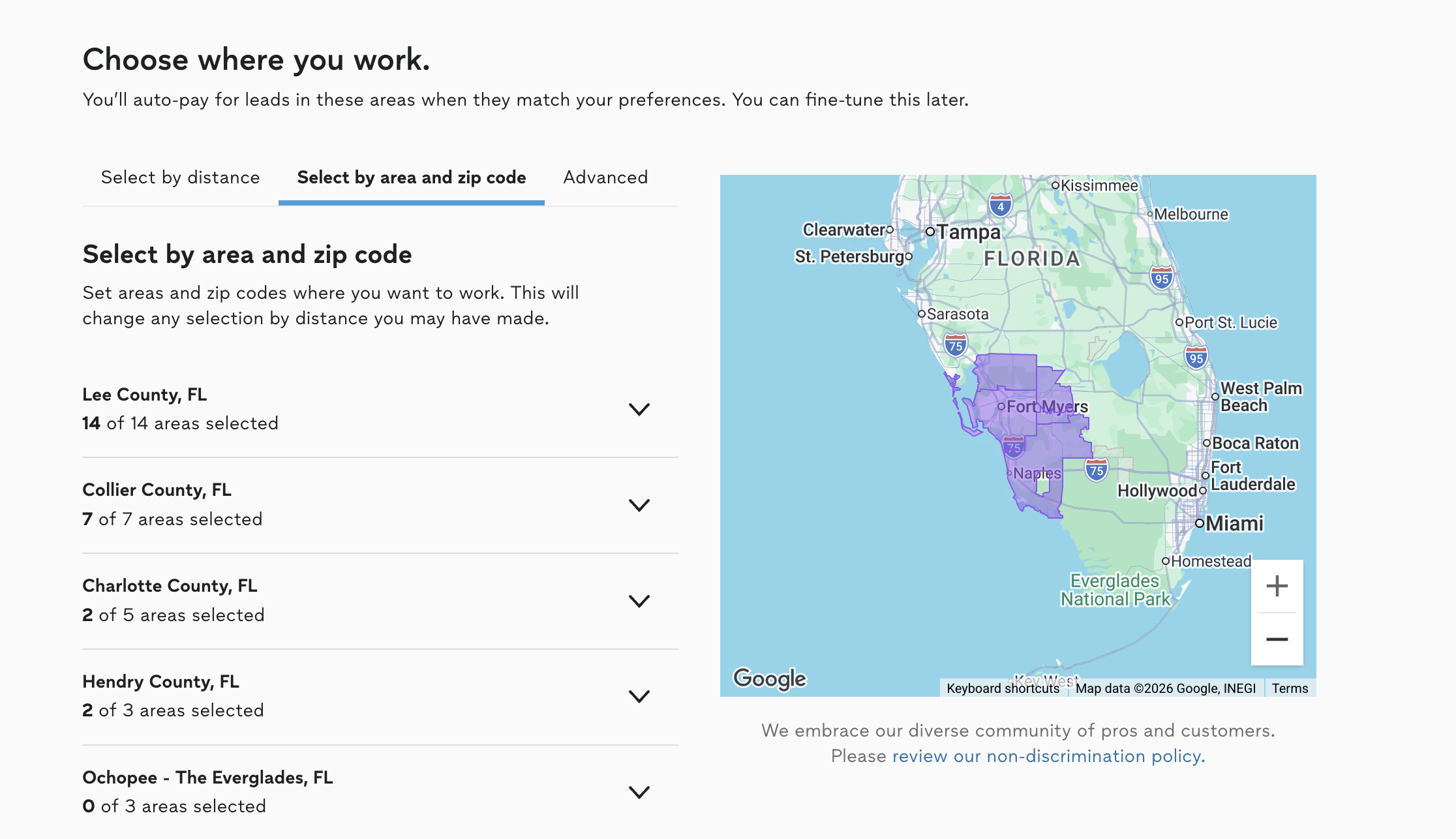
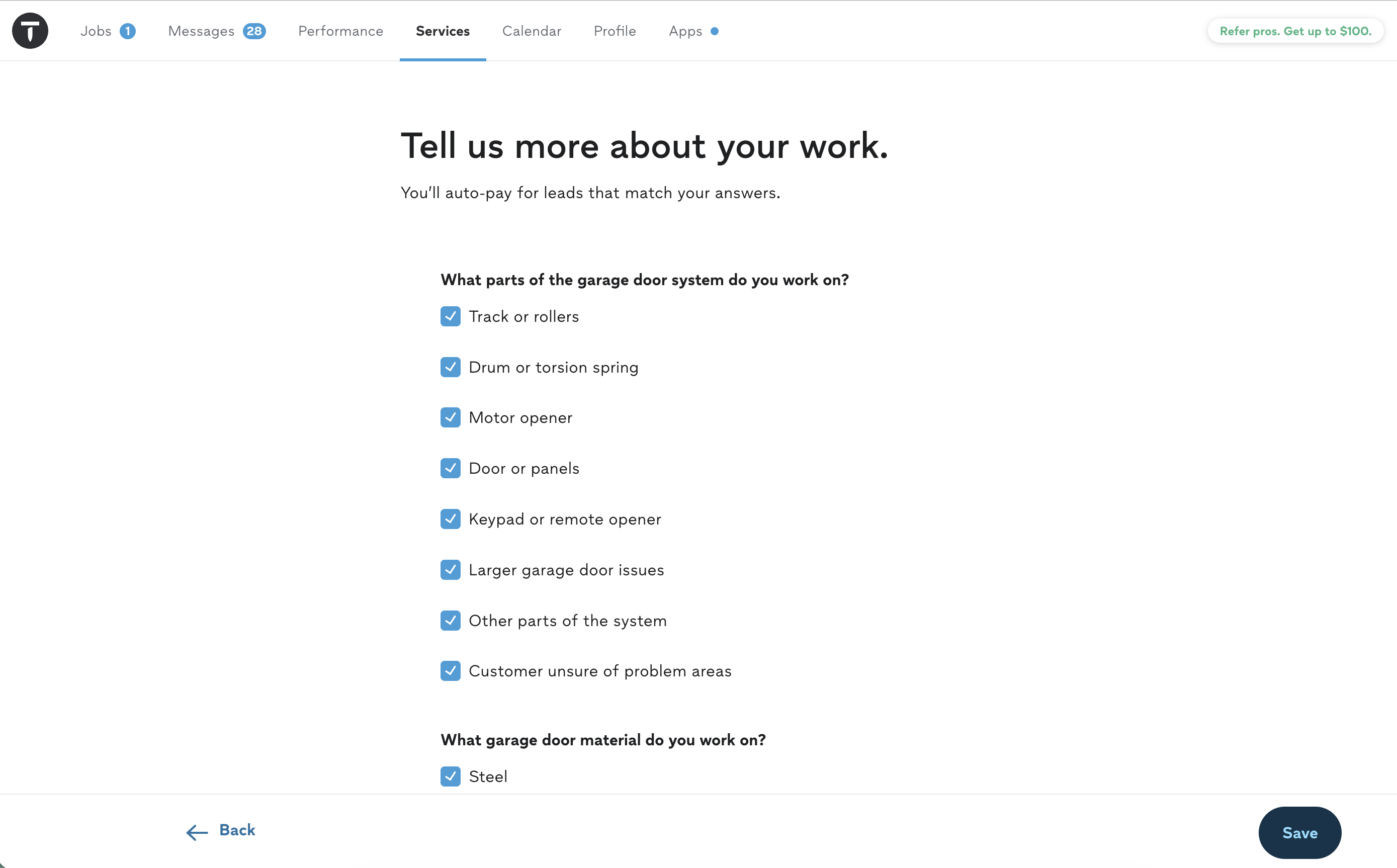
New to the platform? An introductory service price is one option while you earn reviews. Make sure it still covers labor, travel and the lead fee. As your reputation grows, you can test higher prices.
Check what customers see before they contact you. Thumbtack has changed when it shows service pricing. Business FAQs may let you show a starting rate, but the available questions vary by service. Don’t assume every prospect sees your hourly rate. Thumbtack’s pricing-visibility explanation
And keep the two prices separate: your service price is what the customer pays; your lead price is what you pay Thumbtack.
Thumbtack describes its current lead-price setting as what you can expect to pay for a matching lead, rather than an old-style maximum bid. Lowering it may reduce costs, but it may also bring fewer leads. Check both the spending and the jobs you win. Thumbtack’s lead-price explanation
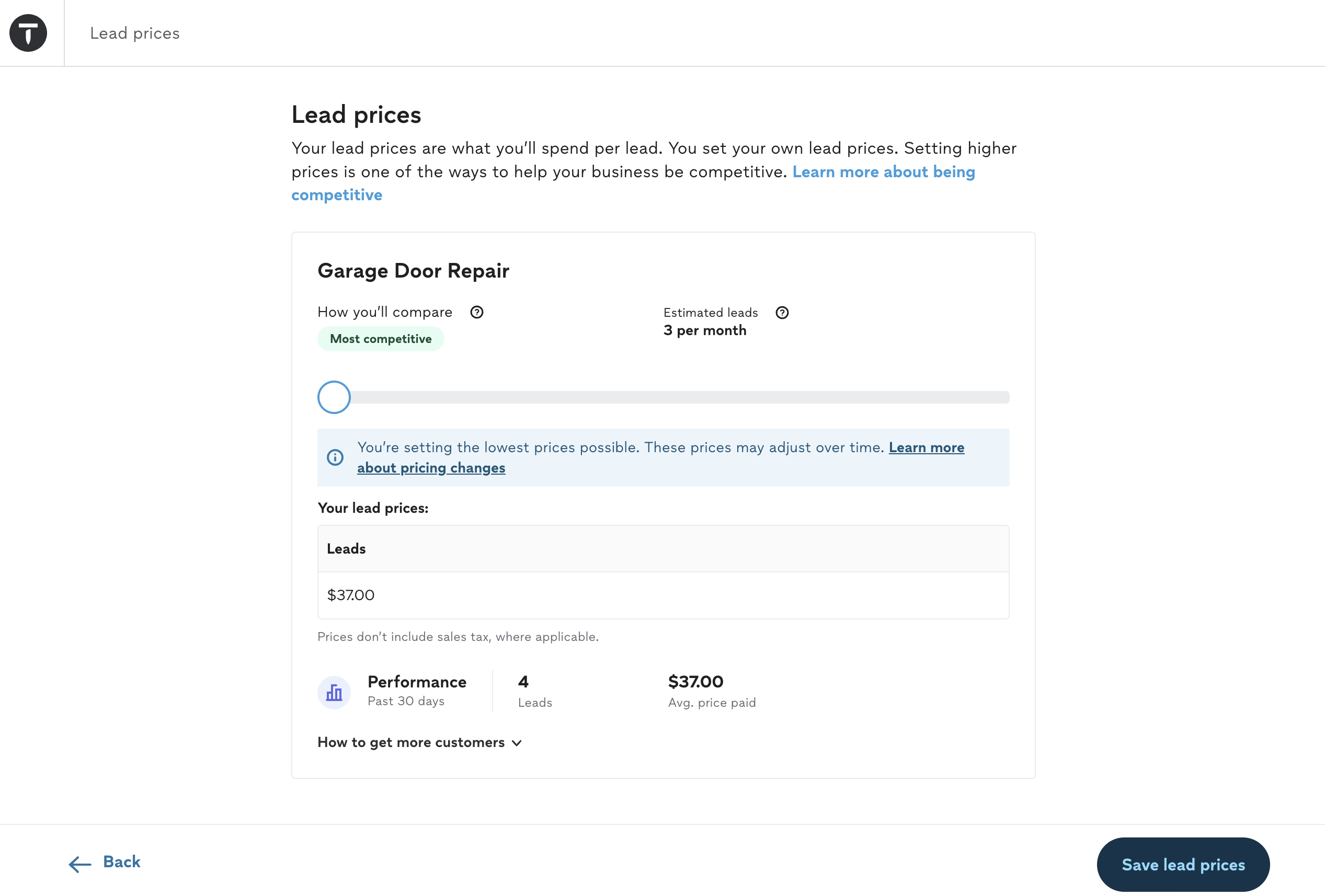
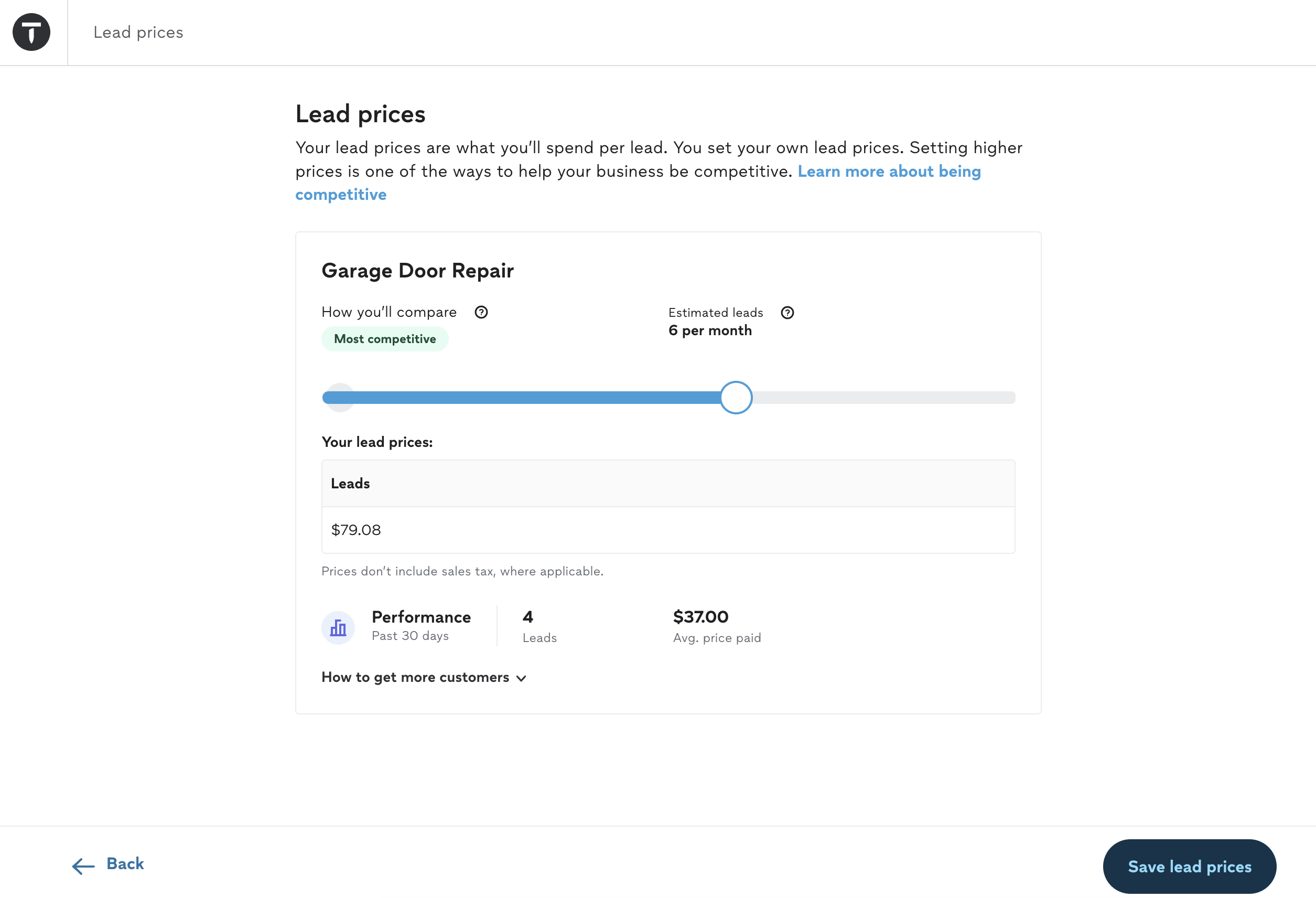
Notice the past-performance row stays at four leads and a $37 average in both screenshots. Changing a setting changes the estimate, not the results already recorded.
A lead that doesn’t book isn’t automatically refundable; check the current refund eligibility in your account.
When Angi deserves a look
Angi can be worth testing when you need another source of projects and have someone ready to follow up.
Its optional Opportunities let you see the project details and lead fee before deciding. Some can be accepted immediately. Others become paid leads after you and the homeowner both express interest. How Angi Opportunities work
That gives you a way to choose extra work. Subscriptions work differently: they also send automatic leads under your account terms.
You can also set services, locations and budgets, and message homeowners. Check which settings you can change yourself and which need support.
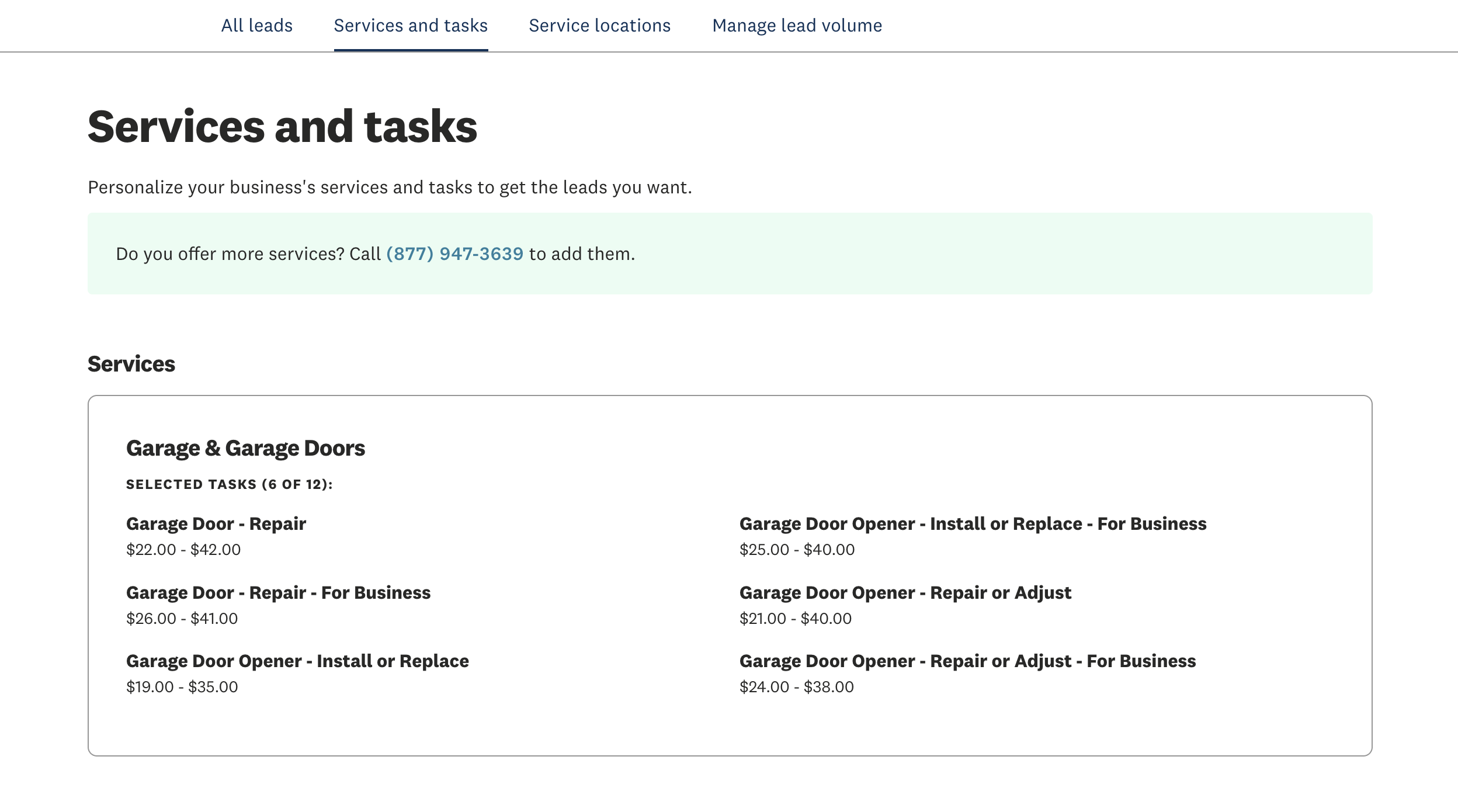
Before committing, check three details:
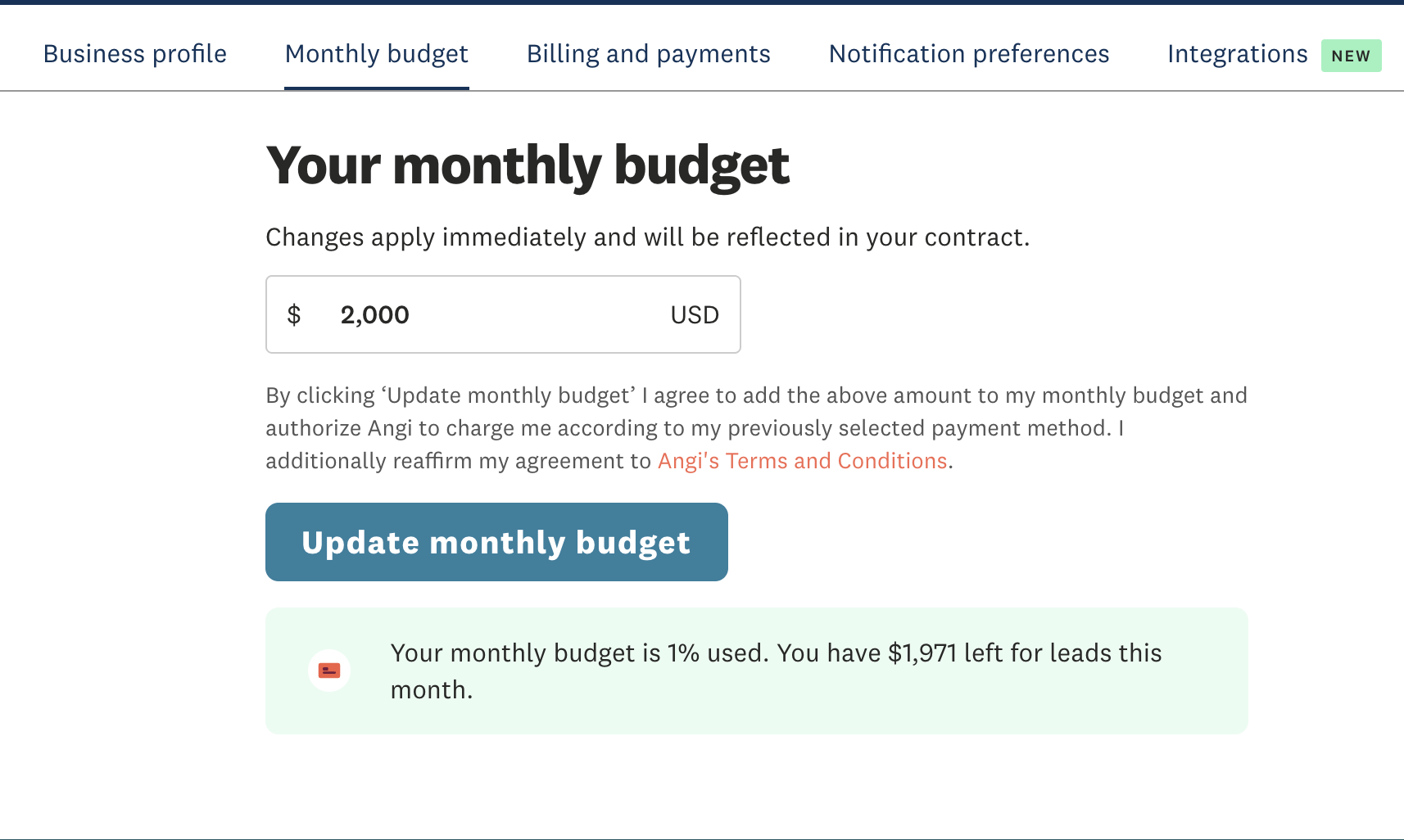
- What counts toward the budget? Angi says optional Opportunities cost extra, and an automatic lead can push pay-per-lead spending over the remaining monthly budget.
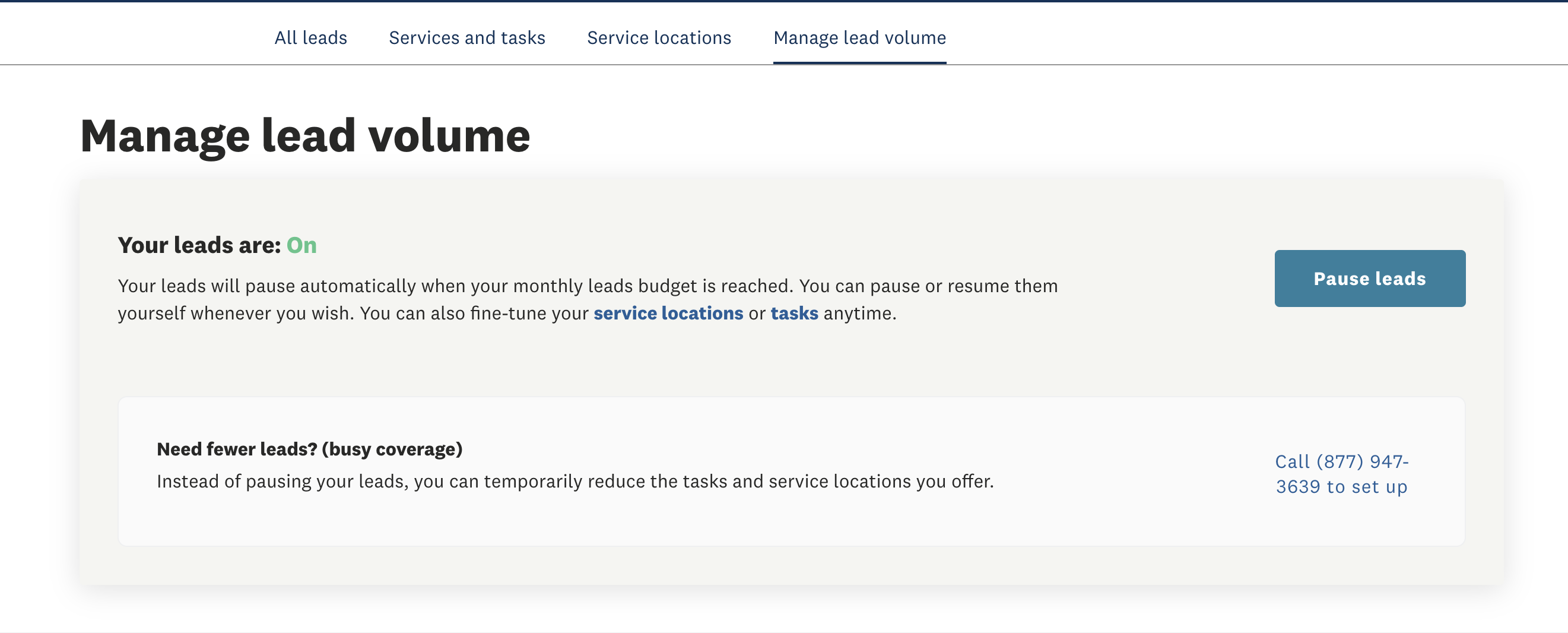
- What happens when you pause? Pausing leads does not pause a subscription contract.
- Which credit rules apply? Angi’s published policy excludes annual-subscription leads from credits. Eligible accounts still have conditions to meet.
A subscription discount is easier to judge once you know what those jobs are worth to your business. Angi billing, pausing leads, lead credits
Match the platform to the job
For planned work, customers have time to compare profiles, ask questions and pick a date. That makes cleaning, lawn maintenance and landscaping sensible services to test here.
The job matters as much as the trade. A customer might need a cleaner next month or tomorrow morning. A plumbing inquiry could be a planned installation or a burst pipe. No trade is a guaranteed winner on either platform.
For urgent jobs, Google Search is also worth testing: you can target searches for the immediate service you offer. Thumbtack offers emergency services too. Compare the results for your job types and service area. Google Search Ads, Thumbtack emergency plumbers
Looking for more ways to bring in those jobs? Our cleaning-client guide and lawn-care customer guide cover the other channels worth considering.
Cheap leads can make expensive customers
The lead fee is only the first number.
Cost per booking = total acquisition spend ÷ bookings from that source.
Include applicable platform fees in that spending. Count introductory discounts once, either as an acquisition expense or through reduced revenue. Then track cancellations and completed jobs separately.
Try your numbers below. The starting figures are hypothetical, not platform benchmarks. Use the same reporting period for both sources.
What does a completed job cost?
Use the same reporting period. Include applicable platform fees in acquisition spend. Count discounts once. These starting figures are hypothetical.
Source A
- Cost per lead
- $30.00
- Cost per booking
- $150.00
- Cost per completed job
- $200.00
Source B
- Cost per lead
- $50.00
- Cost per booking
- $100.00
- Cost per completed job
- $120.00
Acquisition cost per completed job = acquisition spend ÷ completed jobs. This excludes the cost of doing the work.
In the starting example, Source B costs more per lead but less per completed job. Either platform could come out ahead in your own results.
Now check what’s left after the work. A $400 job that costs $250 to deliver leaves $150 before acquisition costs, overhead and profit. Paying $200 to acquire it doesn’t work on that first job.
Repeat work could change the picture. Track repeat revenue back to the original source in your CRM when it’s paid. Don’t count repeat jobs you haven’t won.
Test one or both?
You can test both. The question is whether someone has time to manage them.
Someone needs to check notifications, respond quickly, keep availability current and record what happened.
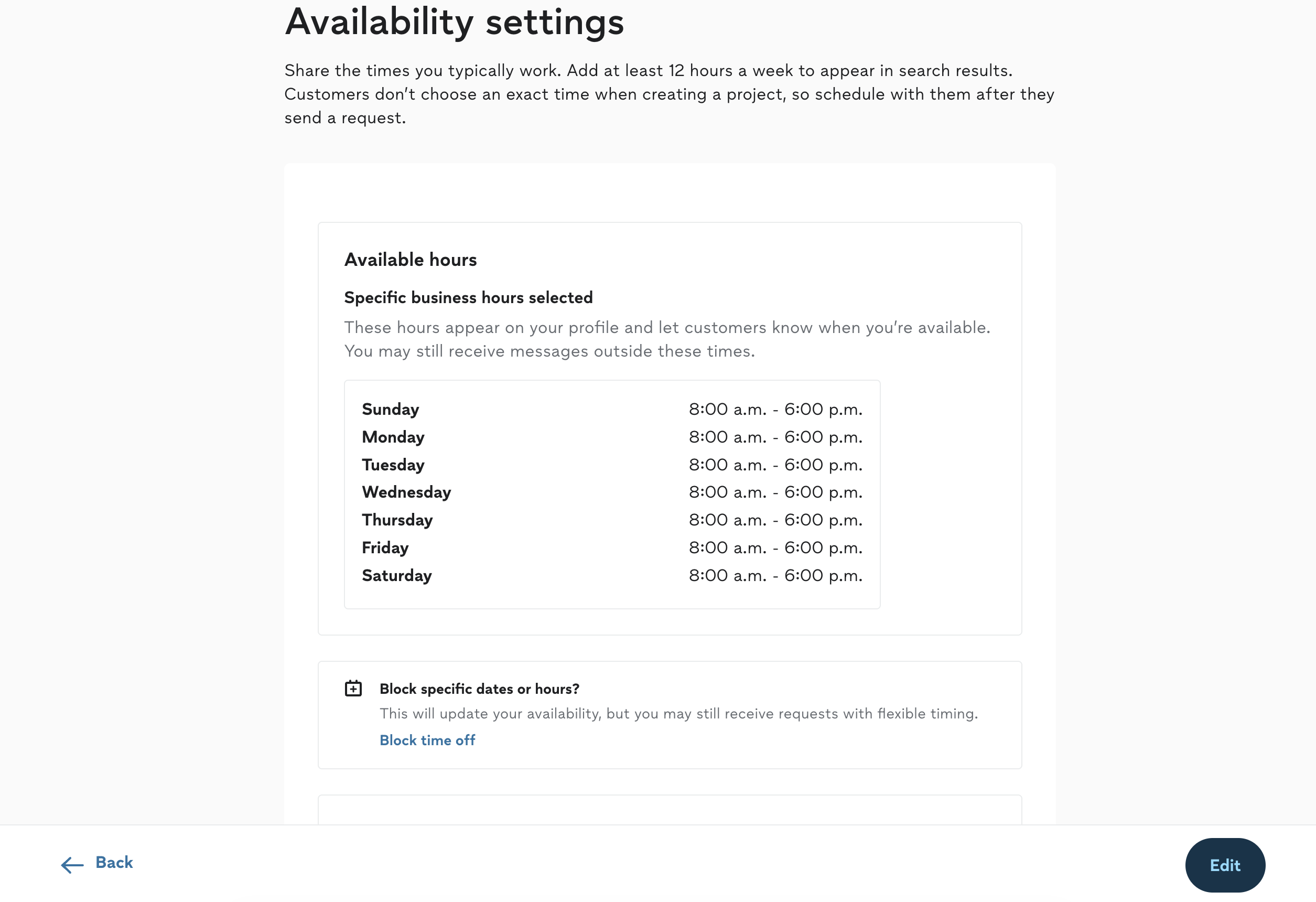
Set a spending limit you can sustain and a date to review it. Track paid leads, suitable inquiries, bookings, completed jobs and revenue for each source. Compare similar work, and note whether you were able to respond equally quickly.
Getting suitable leads but no bookings? Review the conversations. Booking jobs but keeping too little money? Revisit lead pricing, targeting and acquisition costs. Change one thing at a time so you can see what helped.
Hold off if you can’t respond reliably, deliver work that earns honest reviews or make the costs fit your margins. Sort those out before paying for more inquiries.
Give the budget to what works
You don’t need to pick a platform forever.
Start with a manageable test. Keep the source that brings profitable jobs, adjust what needs work and add another when you have room to handle it.
Angi and Thumbtack can be part of that mix. So can referrals, your Google Business Profile and paid search. Our LSA vs Google Ads guide explains those two options when you’re ready to compare them.